Best Smart Home Setup for Movie Nights (2026)
Best Smart Home Setup for Movie Nights (2026)
Imagine saying one command and your entire living room transforms into a home theater. The lights dim to a warm glow, the blinds close, the TV powers on, the soundbar switches to surround mode, and soft bias lighting illuminates the wall behind your screen. That’s the magic of a smart home movie night setup in 2026—and it’s surprisingly affordable to build.
This guide walks through every component of an automated movie night experience, from lighting and blinds to sound and even snack preparation. Whether you’re building a dedicated home theater or upgrading your living room for Friday night films, these devices and automations will elevate every viewing session.
Movie Scene Automation: One Command Does It All
The heart of a movie night smart home is the scene—a single trigger that activates multiple devices simultaneously. In Apple HomeKit, Google Home, Amazon Alexa, or Home Assistant, you can create a “Movie Night” scene that executes everything at once:
- Dims all room lights to 5% or off entirely
- Closes motorized blinds to block outside light
- Turns on the TV and switches to the correct input
- Powers on the soundbar and sets volume to your preferred level
- Activates bias lighting behind the TV at a low, warm color
- Sets the thermostat to a comfortable movie-watching temperature
You trigger this scene by voice (“Hey Google, movie time”), a single button press on a smart remote, a tap on your phone, or even automatically when your streaming app opens.
The best platform for complex movie automations is Home Assistant (free, open-source) because it supports virtually every device brand and allows conditional logic. For simpler setups, Amazon Alexa Routines or Apple HomeKit Scenes handle most movie night needs with less configuration.
Bias Lighting: Easy Eye Comfort
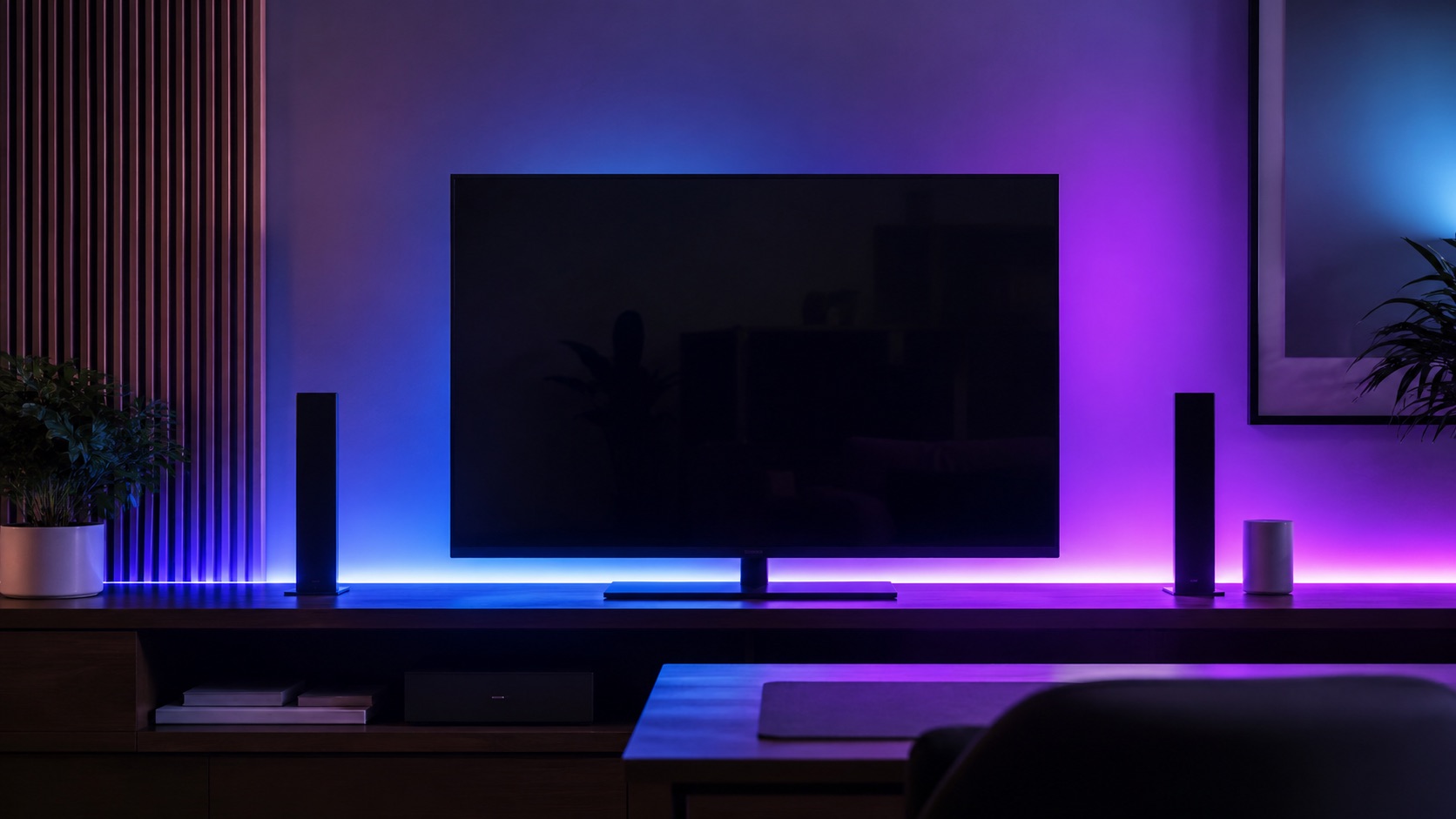
Bias lighting—soft illumination behind your TV—reduces eye strain during dark scenes and makes colors appear more vivid. It’s one of the cheapest and most impactful upgrades for any home theater.
The Govee TV Backlight T2 ($35) is the best value option. It attaches to the back of your TV via adhesive strips and offers app control, music sync, and color matching with an integrated camera that reads what’s on screen and adjusts colors in real time. The effect is immersive without being distracting.
For a premium option, Philips Hue Play Bars ($70 each, usually sold in pairs) sit behind your TV and integrate with the Hue ecosystem. They sync with on-screen content via the Hue Sync Box ($230) for frame-accurate color matching. The advantage over Govee is deeper smart home integration—Hue Play Bars respond to your movie night scene alongside other smart bulbs in the room.
The Govee DreamView T1 Pro ($80) offers a middle ground with better color accuracy than the basic model and a camera-based sync system that doesn’t require additional hardware.
For bias lighting, set the brightness to roughly 10% of your TV’s output. Too bright defeats the purpose; too dim provides no benefit. A warm white (2700K–3000K) or the adaptive color mode works best for most content.
Universal Remote: One Device to Rule Them All
Multiple remotes kill the movie night vibe. The SofaBaton U2 ($60) is a universal smart remote that controls your TV, soundbar, streaming device, Blu-ray player, and smart home devices from a single handheld unit. It supports IR, Bluetooth, and Wi-Fi, covering virtually every entertainment device made in the last 15 years.
Program a single “Movie” button that powers on your TV, switches the soundbar input, opens your streaming app, and dims the smart lights. The U2’s companion app makes programming straightforward, and it learns IR codes from your existing remotes.
For a more premium experience, the SofaBaton X1 ($200) adds a hub with discrete IR blasters that you place near each device, eliminating line-of-sight requirements. It also integrates with smart home platforms for direct device control.
The Logitech Harmony line has been discontinued, but if you already own one, it still works. For new buyers, SofaBaton is the clear successor with better smart home integration and active development.
Sound Control and Optimization
Great sound transforms a movie from something you watch into something you feel. Smart sound control means your system automatically adjusts to optimal movie settings without manual fiddling.
A Sonos Beam Gen 2 ($500) or Sonos Arc ($900) integrates with your smart home scene, powering on and switching to the correct mode when movie night activates. Sonos supports speech enhancement for dialogue clarity and night mode for late viewing when you need to keep volume down.
For a budget setup, the Vizio M-Series 5.1 ($300) soundbar delivers surround sound and can be triggered via smart plug. Plug the soundbar into a smart plug, and when your movie scene activates, the plug powers on—many soundbars resume their last state when power is restored.
Volume normalization matters too. Set your automation to adjust volume to a specific level so you don’t blast the opening credits at full volume. Most smart TVs and soundbars support setting a specific volume level via their integration with Alexa, Google, or HomeKit.
Motorized Blinds for Light Control
Nothing ruins a movie like afternoon sun glaring on the screen. Motorized smart blinds close automatically as part of your movie scene.
The IKEA FYRTUR ($130–$170) remains the most affordable smart blind option with Zigbee connectivity. It works with Apple HomeKit, Google Home, and Amazon Alexa. The Lutron Serena ($350–$600) offers premium quality and the most reliable smart home integration through the Lutron bridge.
For existing blinds, the SwitchBot Blind Tilt ($50) or SOMA Smart Shades 2 ($90) retrofit motors onto your current blinds, converting them to smart control without replacement. These are ideal if you like your existing blinds but want automation.
Automated Snack Prep
This is where smart home movie nights get fun. A popcorn machine on a smart plug timer means fresh popcorn is ready exactly when you sit down.
Set up a smart home automation that triggers your popcorn machine 3 minutes before movie time. When you activate your movie scene at 8:00 PM, the smart plug powering your popcorn machine turns on at 7:57 PM. By the time the blinds are closed and the TV is on, your popcorn is popped and waiting.
The Amazon Smart Plug ($25) or TP-Link Kasa Smart Plug ($15) handles this perfectly. Any hot-air popcorn machine with a physical on-switch works—just leave it in the “on” position and let the smart plug control power delivery.
For beverages, a smart plug-controlled mini fridge near your viewing area can be set to a “party mode” cooling schedule—extra cold for movie nights, regular temperature otherwise.
Smart Lighting Beyond Bias
Beyond the TV backlight, the rest of your room lighting matters for the movie experience. Consider these zones:
- Pathway lights: LED strips along the floor at 2% brightness so people can navigate without disrupting the movie
- Accent lighting: A single lamp with a smart bulb set to deep blue or amber creates atmosphere
- Entry light: A motion-triggered hallway light for bathroom trips that doesn’t spill into the viewing area
Philips Hue and LIFX bulbs excel here because they support per-bulb scene programming. Set each light to its exact movie-night state independently within your scene.
Putting It All Together with Your Ecosystem
The key to a seamless movie night is choosing devices within a compatible ecosystem. Here’s how to connect everything:
With Alexa: Create a Routine triggered by “Alexa, movie time.” Add actions for lights (Hue/LIFX), TV (Fire TV or CEC-compatible), soundbar (if Alexa-enabled), blinds (any compatible), and plugs (popcorn machine).
With Google Home: Create a Home Routine triggered by “Hey Google, movie night.” Google’s integration with Chromecast-enabled TVs makes TV control seamless.
With Apple HomeKit: Create a Scene in the Home app. One tap or “Hey Siri, movie time” activates everything. HomeKit’s advantage is local processing—your scene fires instantly without internet dependency.
With Home Assistant: Create an automation with unlimited conditions. Trigger by voice, NFC tag on the coffee table, or even automatically when your Plex or Netflix app opens on Apple TV.
Comparison Table
| Component | Device | Price | Movie Night Role | Automation Trigger |
|---|---|---|---|---|
| Bias lighting | Govee TV Backlight T2 | $35 | Reduces eye strain, immersive color | Scene activation, always on during movie |
| Bias lighting (premium) | Philips Hue Play Bars (pair) | $140 | Content-synced ambient light | Hue Sync Box, scene activation |
| Universal remote | SofaBaton U2 | $60 | Single-device control for all AV | Button press triggers scene |
| Soundbar | Sonos Beam Gen 2 | $500 | Surround sound, dialogue enhancement | Scene powers on, sets input |
| Motorized blinds | IKEA FYRTUR | $130 | Blocks outside light | Scene closes blinds |
| Smart plug (popcorn) | TP-Link Kasa Plug | $15 | Powers popcorn machine on timer | 3 min before scene activation |
| Room lighting | Philips Hue Bulbs | $50/bulb | Dims to 5%, sets accent color | Scene sets each bulb individually |
| TV control | Fire TV / Apple TV | $50–$130 | Powers on, opens streaming app | Scene activation via CEC or app |
| Thermostat | Ecobee Premium | $250 | Sets comfortable viewing temp | Scene adjusts to 72°F |
Related Guides
Frequently Asked Questions
How much does a full movie night automation setup cost?
A basic setup (bias lighting + smart plug + smart bulbs + voice assistant) starts around $100–$150. A complete system with motorized blinds, universal remote, quality soundbar, and full lighting control runs $800–$1,500 depending on brand choices. You can build incrementally—start with lighting and add components over time.
Can I trigger movie night automation without voice commands?
Absolutely. Options include: a physical smart button on your coffee table (Flic Button, $30), an NFC tag you tap with your phone, a widget on your phone’s home screen, the remote’s macro button, or time-based scheduling for regular movie nights (every Friday at 8 PM).
Do I need a smart TV for movie night automation?
Not necessarily. Any TV with HDMI-CEC support can be powered on by a connected streaming device like Apple TV, Chromecast, or Fire TV Stick. The streaming device receives the “on” command from your automation and wakes the TV via CEC. Older TVs without CEC can use an IR blaster from a SofaBaton X1 hub or Broadlink RM4.
Will bias lighting make my TV picture look worse?
No—the opposite. Bias lighting reduces perceived contrast between the bright screen and dark room, which reduces eye strain and makes colors appear more saturated. For best results, use a neutral white (6500K) for color-accurate viewing or warm white (3000K) for a more relaxed atmosphere. Avoid bright or colored bias lighting during color-critical content.
How do I handle different streaming services in my automation?
Most automation platforms can’t directly launch a specific app, but your streaming device can. With Fire TV, Alexa can open specific apps (“Alexa, open Netflix on Fire TV”). With Apple TV, Shortcuts can launch apps. The simplest universal approach: set your automation to turn on the TV and let you manually select the app—the 3 seconds of app selection won’t break the immersion.
Final Thoughts
A smart movie night setup is one of the most satisfying smart home projects because the payoff is immediate and tangible. Every movie feels more cinematic when your environment transforms with a single command. Start with bias lighting and a scene that dims your existing smart bulbs—you can feel the difference from night one. Then add blinds, sound, and the popcorn automation as your system grows.