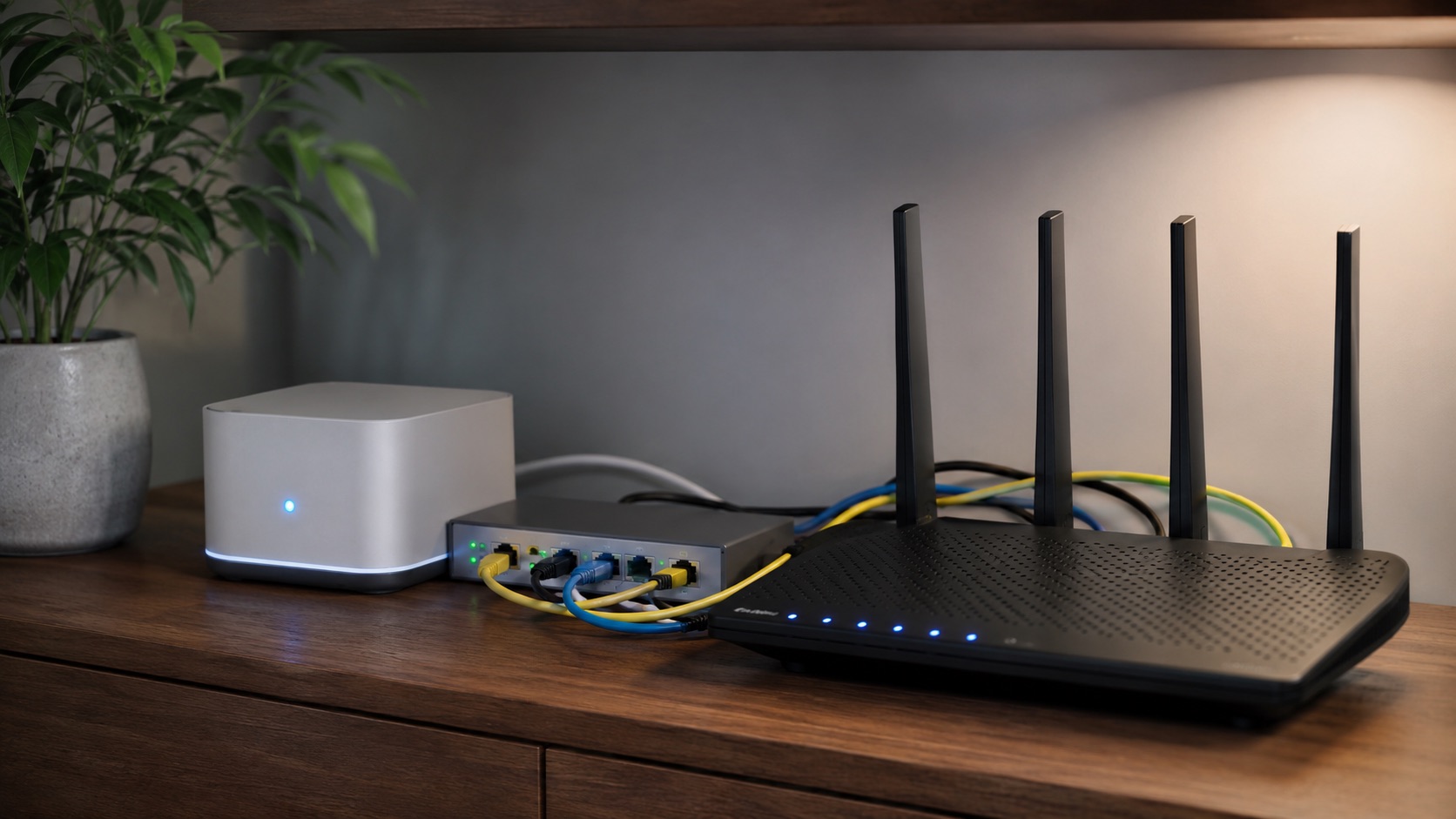
Illustrative image, not evidence of a product test.
Best Smart Home Setup for Multi-Story Houses (2026)
Why Multi-Story Homes Need a Different Smart Home Strategy
A smart home in a single-story apartment is straightforward — one WiFi access point, one Zigbee coordinator, and everything just works. But add a second or third floor, and suddenly you’re dealing with signal degradation through ceilings, dead zones in stairwells, and devices that can’t reach their hub.
Multi-story homes amplify every weakness in your smart home setup. WiFi signals attenuate significantly through floor/ceiling assemblies (especially concrete or older plaster-and-lath construction). Zigbee and Z-Wave coordinators have limited vertical range. And automations that work perfectly on one floor may not trigger reliably on another.
This guide addresses the specific challenges of building a reliable smart home across 2–3 floors, with practical solutions for WiFi coverage, protocol selection, device placement, and automation zoning. Whether you’re in a townhouse, a traditional two-story home, or a three-level split, these strategies will ensure your smart home works seamlessly from basement to attic.
If you’re new to smart home technology, start with our beginner’s guide before diving into multi-story specifics.
Challenge 1: WiFi Coverage Across Floors
The Problem
WiFi signals lose 10–15 dB passing through a standard wood-frame floor/ceiling assembly, and 15–25 dB through concrete. That means a router on the ground floor may deliver excellent speeds on that level but barely usable connections on the second floor — and near-zero signal on a third floor.
For smart home devices, this isn’t just about speed. Many WiFi-based devices (smart plugs, cameras, Shelly relays) need reliable, low-latency connections to respond instantly to commands. Intermittent WiFi means lights that sometimes don’t turn on, cameras that drop offline, and automations that fire late.
The Solution: Mesh WiFi with Wired Backhaul
A mesh WiFi system with one node per floor is non-negotiable for multi-story smart homes. But not all mesh systems are equal:
Wired backhaul (Ethernet connection between nodes) is strongly preferred over wireless backhaul. When mesh nodes communicate wirelessly, they use the same radio bands as your devices, cutting available bandwidth. A wired backhaul dedicates the full radio capacity to your devices.
Placement tips:
- Place each mesh node centrally on its floor, not against an exterior wall
- Position nodes vertically aligned when possible (stacked above each other) for better inter-floor coverage
- Avoid placing nodes inside closed cabinets or behind large metal objects
- For 3-story homes, the middle floor node is most critical — it bridges upper and lower floors
- Stairwells are natural signal paths between floors; place nodes near stairwell openings
Recommended systems: See our detailed best mesh WiFi for smart homes guide for specific product recommendations.
Device Capacity Planning
A multi-story home typically has more smart devices than a flat. Plan for:
- 15–25 WiFi devices per floor (smart plugs, cameras, voice assistants, Shelly relays)
- Total capacity of 50–75+ simultaneous connections
- Ensure your mesh system supports this without degradation (look for systems rated for 100+ devices)
Challenge 2: Protocol Range and Mesh Topology
Zigbee and Thread — Mesh Networks That Self-Heal
Zigbee and Thread use mesh topology where mains-powered devices (smart plugs, in-wall switches, smart bulbs) act as signal repeaters. This is a massive advantage for multi-story homes because every mains-powered device you add extends your network’s range.
Strategy for multi-story Zigbee/Thread:
- Place at least 2–3 mains-powered Zigbee devices per floor (smart plugs are cheapest)
- These act as routers/repeaters, creating mesh paths between floors
- Battery-powered devices (sensors, buttons) don’t repeat — they connect to the nearest router
- Place your Zigbee coordinator centrally (middle floor if possible)
- The mesh will self-route around weak spots automatically
Thread (used by many Matter devices) has the same mesh advantage with the added benefit of IPv6 native addressing and border routers that bridge to your IP network.
Z-Wave — Longer Range, Fewer Nodes Needed
Z-Wave operates at sub-1GHz frequencies (800–900 MHz depending on region), which penetrate walls and floors significantly better than the 2.4 GHz used by Zigbee and WiFi. A Z-Wave signal can often pass through 2–3 floors without repeating.
However, Z-Wave has a maximum of 4 hops in its mesh, so extremely large homes may still need strategic repeater placement. Z-Wave also has a 232-device limit per network (rarely an issue for residential use).
WiFi — Requires Full Coverage Everywhere
WiFi-based smart devices (Shelly, Tuya, TP-Link) don’t mesh with each other. Each device connects directly to your access point. This means you need strong WiFi signal everywhere you have a WiFi smart device — there’s no “repeating through other devices” like Zigbee.
This is why the mesh WiFi foundation (Challenge 1) is critical before deploying WiFi-based smart devices throughout a multi-story home.
Challenge 3: Automation Zoning by Floor
Per-Floor Scenes and Contexts
In a multi-story home, different floors typically serve different purposes and have different usage patterns. Your automations should reflect this:
Ground floor (living spaces):
- Presence-based lighting in kitchen, living room, hallways
- Entertainment scenes (movie mode, dinner mode)
- Guest-aware automations (disable motion-triggered actions when guests are present)
Upper floor (bedrooms):
- Sleep-focused automations (gradual dimming, sunrise simulation)
- Quieter operation (no loud notifications at night)
- Individual room preferences (temperature, lighting per person)
Basement (utility/recreation):
- Occupancy-based climate control (don’t heat/cool empty basement)
- Laundry notifications (power monitoring on washer/dryer)
- Security-focused automations (motion alerts when basement should be empty)
Presence Detection Per Floor
Knowing which floor is occupied is valuable for energy savings and comfort. Options include:
- Motion sensors on each floor — simple but can’t detect stationary occupants
- Door/contact sensors on stairways — track movement between floors
- BLE beacons + phone tracking — room-level presence via ESPresense or similar
- Smart lighting occupancy — if lights are on (manually triggered), assume presence
Challenge 4: Inter-Floor Communication
Echo Devices as Intercoms
Amazon Echo devices support “Drop In” and “Announce” features that work as a whole-house intercom system. Place one Echo on each floor and you can:
- Announce dinner is ready to all floors simultaneously
- Drop in to a specific floor’s Echo for two-way conversation
- Broadcast messages from any floor to any other
This replaces the need for wired intercom systems and works over your existing WiFi network. Google Nest speakers offer similar broadcast functionality.
Visual/Audio Notifications Per Floor
Instead of a single notification system, deploy feedback devices on each floor:
- Smart speakers for voice announcements
- Smart bulbs that flash for visual alerts (doorbell, alarm)
- Small displays (Echo Show, Google Nest Hub) showing security camera feeds
Challenge 5: Specific Construction Challenges
Signal Through Thick Ceilings
Older homes with plaster-and-lath ceilings, concrete between floors, or radiant heating mesh in floors create severe signal attenuation. Solutions:
- Run Ethernet between floors for wired mesh backhaul (through existing cable runs or along baseboards)
- Use Z-Wave for critical devices (better floor penetration at sub-GHz)
- Place Zigbee repeaters near stairwell openings on each floor
- Consider powerline adapters as Ethernet alternatives (though performance varies)
Stairwell Coverage
Stairwells are transitional spaces that often get neglected but are important for:
- Motion-activated stair lighting (safety)
- Signal path between floors (place repeaters here)
- Presence tracking (detecting movement between floors)
Install a motion sensor and a Zigbee smart plug (as repeater) in each stairwell for both functionality and network health.
Multi-Story Smart Home Challenges and Solutions
| Challenge | Solution | Recommended Product | Cost | Notes |
|---|---|---|---|---|
| WiFi dead zones between floors | Mesh WiFi, 1 node per floor | TP-Link Deco XE75 / Ubiquiti UniFi | $200–$400 | Wired backhaul strongly preferred |
| Zigbee range between floors | Mains-powered repeaters per floor | IKEA Tradfri plugs / Aqara plugs | $10–$15 each | Place 2–3 per floor minimum |
| Z-Wave dead spots | Strategic repeater placement | Aeotec Range Extender 7 | $30 | Usually fewer needed than Zigbee |
| Automation per floor | Zoned scenes in HA/SmartThings | Home Assistant areas | Free (software) | Group devices by floor/room |
| Inter-floor communication | Smart speakers as intercoms | Amazon Echo (4th/5th gen) | $50–$100 each | Drop In and Announce features |
| Presence detection per floor | Motion + contact sensors | Aqara Motion P2 + Door sensor | $20–$30 per zone | Combine for directional tracking |
| Signal through concrete floors | Sub-GHz protocol (Z-Wave) | Zooz ZEN switches | $30–$40 each | 900 MHz penetrates better |
| Stairwell lighting | Motion sensor + smart bulb | Philips Hue + Hue Motion | $50–$70 per stairwell | Essential for safety |
| Centralized hub placement | Middle floor, central location | Home Assistant Yellow / Green | $100–$150 | Maximizes Zigbee/Z-Wave range |
| Network capacity (50+ devices) | Enterprise-grade mesh | Ubiquiti UniFi system | $300–$600 | Supports 200+ clients |
Recommended Architecture for a 3-Story Home
Floor 1 (Ground)
- Mesh WiFi node (wired to router/modem)
- 3× Zigbee smart plugs (repeaters + appliance control)
- Motion sensors in hallway and main living areas
- Echo device for voice control and intercom
Floor 2 (Upper/Bedrooms)
- Mesh WiFi node (wired backhaul via Ethernet)
- 2–3× Zigbee smart plugs (repeaters)
- Motion sensors in hallway
- Temperature sensors per bedroom
- Echo device for intercom and alarms
Floor 3 or Basement
- Mesh WiFi node (wired backhaul)
- 2× Zigbee smart plugs (repeaters)
- Power monitoring on washer/dryer
- Motion sensor for occupancy-based climate
- Echo device for intercom
Central Hub
- Place on middle floor for best radio range in all directions
- Home Assistant on dedicated hardware (Yellow, Green, or mini PC)
- Zigbee coordinator (built-in or USB like Sonoff ZBDongle-E)
- Z-Wave stick if using Z-Wave devices
For hub selection help, see our best smart home hub guide.
Budget Planning for Multi-Story Smart Homes
A multi-story home requires more infrastructure investment than a single-floor setup:
- Mesh WiFi system: $200–$400 (3-pack with wired backhaul support)
- Zigbee repeaters: $60–$100 (6–8 smart plugs across all floors)
- Smart home hub: $100–$150 (Home Assistant hardware)
- Per-floor sensors: $50–$80 per floor (motion + climate)
- Inter-floor intercom: $150–$300 (3 Echo devices)
Total infrastructure cost: $560–$1,030 before adding end-use devices (smart lights, locks, thermostats).
This is higher than a single-floor setup, but the investment in reliable infrastructure pays for itself in a system that actually works consistently. Cutting corners on mesh WiFi or repeater density leads to frustration and unreliable automations.
Related Guides
Frequently Asked Questions
How many mesh WiFi nodes do I need for a 3-story house?
At minimum, one node per floor — so three nodes. For larger floors (over 150m²), you may need two nodes per floor. Always prefer wired backhaul between nodes. Place nodes centrally on each floor, ideally vertically aligned, and near stairwell openings for better inter-floor coverage.
Does Zigbee work across multiple floors?
Yes, but only reliably with mains-powered repeater devices on each floor. Battery-powered sensors won’t repeat signals. Place at least 2–3 Zigbee smart plugs or in-wall devices per floor to create mesh paths. The Zigbee coordinator should ideally be on the middle floor for best vertical range.
Should I use Z-Wave or Zigbee for a multi-story home?
Both work well with proper planning. Z-Wave’s sub-GHz frequency penetrates floors better, requiring fewer repeaters. Zigbee offers more device variety, lower costs, and Thread/Matter compatibility going forward. Many users run both protocols — Z-Wave for devices in hard-to-reach spots and Zigbee for the bulk of sensors and switches.
Can I run separate smart home systems per floor?
You can, but it’s not recommended. A single centralized hub (like Home Assistant) with proper network infrastructure gives you cross-floor automations, unified presence detection, and simpler management. Splitting into separate systems creates silos that can’t coordinate — defeating the purpose of a smart home.
How do I extend smart home coverage to a detached garage or garden building?
For detached structures, run Ethernet if possible (buried conduit). If not, use a point-to-point wireless bridge (Ubiquiti NanoStation or similar) to extend your network. Then place a mesh node or access point in the outbuilding. For Zigbee/Z-Wave, you’ll need a separate coordinator or a device chain bridging the gap — which is unreliable outdoors. WiFi-based devices with a dedicated access point are more practical for detached structures.
Final Recommendations
Building a smart home across multiple floors requires upfront investment in infrastructure that single-story homes can skip. The three non-negotiable foundations are:
- Mesh WiFi with wired backhaul — one node per floor minimum
- Protocol repeaters on every floor — Zigbee smart plugs are cheapest
- Central hub on middle floor — maximizes radio range in all directions
Get these right and everything else — lights, sensors, locks, cameras, thermostats — will work reliably regardless of which floor they’re on. Skip them and you’ll spend months troubleshooting intermittent connectivity issues that make your smart home feel unreliable.
Start with infrastructure, verify coverage on every floor, then expand device by device with confidence that your foundation is solid.