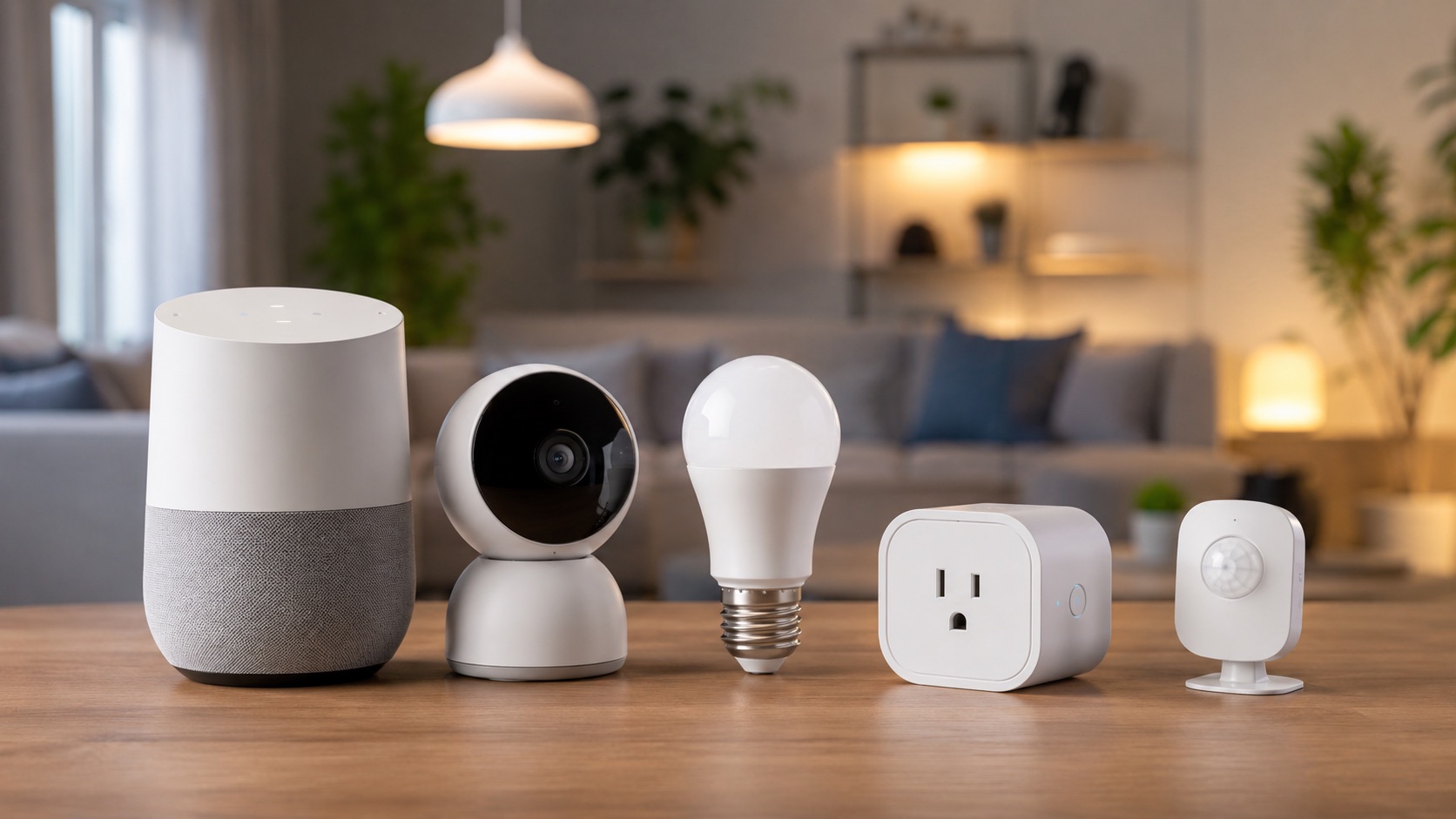
Wired vs Wireless Smart Home: The Case for Spending More Upfront
Wired vs Wireless Smart Home: The Case for Spending More Upfront
I spent €5,200 on a wired Niko Home Control system three years ago. My neighbor spent €800 on Zigbee switches and sensors for a comparable setup. We’ve both been living with our choices since then. Here’s what I’ve learned about the real difference between wired and wireless smart homes, and why I’d choose wired again every time (with one big caveat).
The Two Approaches: Fundamentally Different Philosophies
Let me be clear about what we’re comparing. These aren’t two ways to achieve the same thing. They’re fundamentally different approaches to home automation.
Wired (Niko, KNX, Loxone): Dedicated cables run from every switch and device back to a central controller. All logic runs locally on industrial-grade hardware. Physical switches mechanically work even if the controller dies. Professional installation required. €3,000-15,000 installed.
Wireless (Zigbee, WiFi, Thread, Z-Wave): Devices communicate via radio signals through mesh networks or direct WiFi connections. Logic runs on a hub (or cloud). Devices are battery-powered or plug-in. DIY installation possible. €200-2,000 self-installed.
Both can turn on lights, dim rooms, control blinds, and run automations. The difference is how reliably they do it, for how long, and at what cost.
The Case for Wired: What You Get for the Premium
Zero WiFi Dependency
My Niko system doesn’t use WiFi. At all. The switches communicate with the controller over dedicated bus wiring. When my internet went down for 8 hours last November (cable company issue), every light, every dimmer, every blind in my house worked perfectly. My neighbor’s WiFi-based Shelly switches? Dead. His Zigbee coordinator lost its connection to the cloud and couldn’t execute cloud-based automations.
Even Thread and Zigbee, which don’t use WiFi directly, still depend on a coordinator or hub. If that hub crashes, updates poorly, or loses power, the mesh stops working. My Niko controller has a UPS (uninterruptible power supply) in the panel. It keeps running through brief power cuts.
15-20 Year Lifespan (Proven, Not Theoretical)
I know Belgian homes with Niko installations from 2008 that still function perfectly. KNX installations in commercial buildings have run for 25+ years. Wired systems use industrial-grade components designed for continuous operation over decades.
Wireless devices? The average smart home device lasts 3-5 years before the manufacturer discontinues it, stops supporting it, or the battery technology degrades. The Zigbee standard has been stable, but specific device models come and go constantly. How many Wink hubs are still running? How many original SmartThings sensors still work? The graveyard of abandoned wireless smart home products grows every year.
Never Needs Battery Changes
This sounds minor until you have 30+ devices. My neighbor replaces batteries in door sensors, motion sensors, and blind motors roughly every 12-18 months per device. With 20+ battery-powered sensors, that’s a constant rotation of dead batteries and devices dropping offline because they died at 3 AM.
My system has zero batteries. Every switch is powered by the bus wiring. Every motor controller has permanent mains power. The only maintenance I’ve done in three years is cleaning dust off the switches.
Works During Internet Outages
All automation runs locally on the controller. Schedules execute. Scenes activate. Dimmers dim. Blinds follow their sunrise/sunset program. Internet is optional for everything except remote access via the app and voice assistant integration.
Most wireless hubs in 2026 do support local execution (Home Assistant, Hubitat, modern SmartThings). But many popular devices still require cloud: Tuya devices without local firmware, Ring cameras, Ecobee thermostats, and any automation running through IFTTT or cloud-only services. One internet outage reveals how much of your “smart” home is actually cloud-dependent.
Zero Latency
Press a Niko switch. The light turns on in under 50 milliseconds. It feels instant because it is instant. The signal travels over copper at near the speed of light to the controller, which executes the command in microseconds.
Wireless devices range from 100ms (Thread, Zigbee direct) to 500ms+ (WiFi with cloud roundtrip). Most people won’t notice 100ms, but at 300-500ms, you start to feel the delay. You press a switch and consciously wait for the light. It’s subtle but it erodes the feeling of reliability.
The Case for Wireless: Honest Advantages
I’m biased toward wired, but I’m not blind to reality. Wireless has genuine advantages that matter for most people.
Cost: 5-10x Cheaper
A full wireless smart home with 28 switches, dimmers, and blind controls costs €1,500-2,500 in hardware. With DIY installation, you save the €2,000+ electrician bill. Total savings: €3,000-4,000 compared to wired. That’s a significant sum that could go toward other home improvements.
Flexibility: Add, Move, Change Anytime
Wireless devices can be installed in minutes and moved at will. Want to add a motion sensor to the garage? Stick it to the wall. Changed your mind about where the smart switch goes? Move it. My Niko system requires pulling new wires for any change. Adding a single switch after the walls are closed costs €200+ for an electrician visit.
No Renovation Required
Wireless works in any home, any apartment, any rental. No walls need opening. No electricians need hiring. You can start with one device today and expand gradually over years. Wired requires either new construction or a major renovation where walls are already open.
Better Ecosystem Integration
Zigbee, Z-Wave, Thread, and WiFi devices integrate beautifully with Home Assistant, Apple HomeKit, Google Home, and Amazon Alexa. Thousands of devices, hundreds of manufacturers, endless customization. My Niko system has basic Google Home support and mediocre Home Assistant integration. Wireless wins the integration game decisively.
Easier to Replace and Upgrade
When better technology arrives (and it always does), wireless devices are $20-50 to replace individually. A whole wireless switch costs €30-50. Upgrading a wired system means replacing the controller (€800+) and potentially rewiring if the protocol changes.
The Honest Verdict: Who Should Choose What
Here’s what three years of experience has taught me:
Choose wired if:
- You’re building a new home (wiring cost is minimal during construction)
- You’re doing a full renovation where walls are already open
- You value absolute reliability over flexibility
- You plan to stay in this home for 10+ years
- You’re willing to invest upfront for zero maintenance long-term
- You’re in Belgium, Netherlands, Germany, or Austria (where wired systems have strong installer networks)
Choose wireless if:
- You’re in an existing home without renovating
- You’re renting
- Budget is a primary concern
- You enjoy tinkering and customizing
- You want integration with many platforms and devices
- You might move within 5 years
The uncomfortable truth: for 80% of people, wireless is the right choice. Wired is better in absolute terms (reliability, speed, lifespan), but the cost premium is only justified if you’re building new or doing a major renovation. Retrofitting wired into an existing home costs 5-10x more than adding it during construction. That’s not worth it.
You can see how different systems compare in our how we compare breakdown. For those choosing wireless, our guide to starting a smart home from scratch covers the best entry points.
Comparison Table: Wired vs Wireless
| Factor | Wired (Niko/KNX/Loxone) | Wireless (Zigbee/WiFi/Thread) | Winner |
|---|---|---|---|
| Reliability | Never fails (tested 3 years) | Occasional drops, 95-99% uptime | 🏆 Wired |
| Response Time | <50ms (instant) | 100-500ms (noticeable on WiFi) | 🏆 Wired |
| Upfront Cost | €3,000-15,000 installed | €200-2,000 DIY | 🏆 Wireless |
| Installation | Electrician required | DIY in minutes | 🏆 Wireless |
| Lifespan | 15-20 years proven | 3-5 years typical per device | 🏆 Wired |
| Battery Maintenance | Zero (bus-powered) | Every 12-18 months per sensor | 🏆 Wired |
| Internet Required | No (fully local) | Partially (hub local, some cloud) | 🏆 Wired |
| Flexibility | Low (new wire for changes) | High (move/add anytime) | 🏆 Wireless |
| Ecosystem Integration | Limited (Niko app, basic voice) | Excellent (HA, HomeKit, Alexa) | 🏆 Wireless |
| Design Options | Limited but cohesive | Vast but inconsistent | Tie |
| Works in Rentals | No | Yes | 🏆 Wireless |
| Resale Value Added | Yes (permanent fixture) | Minimal (devices leave with you) | 🏆 Wired |
| 10-Year Total Cost | €5,200 (no replacements) | €2,000-3,500 (with replacements) | Depends |
My Neighbor’s Experience (The Wireless Side)
To be fair, let me share what my neighbor deals with that I don’t:
- Two Zigbee devices needed re-pairing in the last year (dropped off network after coordinator update)
- Replaced batteries in 8 sensors over three years
- One smart plug died after 2.5 years (capacitor failure, common in cheap WiFi devices)
- Had to reconfigure automations twice when Home Assistant had breaking changes
- Spent approximately 20 hours troubleshooting various issues over three years
But here’s what he has that I don’t:
- A fully customized Home Assistant dashboard with energy monitoring, presence detection, and complex automations
- Integration with his robot vacuum, smart TV, weather station, and doorbell camera
- Remote access that works reliably via Nabu Casa
- The ability to add new devices on a whim without calling an electrician
- A system that cost him €1,200 total over three years
Both are valid approaches. Both make us happy. We just have different priorities.
The Real Question: When Are You Making This Decision?
If you’re reading this while planning a new build or major renovation, seriously consider wired. The incremental cost of running extra cables during construction is €500-1,500 compared to the €5,000+ of retrofitting later. Even if you don’t install the full system now, running the cables gives you the option for decades.
If you’re reading this in a finished home, wireless is your answer. Don’t rip open walls to install wired unless you’re already renovating for other reasons.
For those looking at wired options for a new build, my complete guide to wired options compares Niko, KNX, and Loxone in detail. For wireless switch recommendations, check the smart light switches guide. And for a broader look at choosing an ecosystem, our ecosystem comparison covers the landscape.
FAQ
Can you mix wired and wireless in the same home?
Yes, and many people do. You can run wired for core lighting and blinds (high reliability for daily use) and add wireless sensors, cameras, and accessories around it. My Niko system handles lights and blinds, and I use a few WiFi cameras and a wireless doorbell alongside it. The limitation is that complex automations combining both systems require a platform like Home Assistant that supports both, and Niko’s HA integration isn’t great.
Does wired smart home increase property value?
In Belgium and the Netherlands, yes. A properly installed Niko or KNX system is viewed as a premium feature during property sales, similar to underfloor heating or high-end kitchen appliances. Estate agents list it as a selling point. Wireless smart home devices typically leave with the owner and add nothing to property value because they’re not permanent fixtures.
What’s the cheapest wired system?
Niko Home Control is the most affordable mainstream wired system, starting at approximately €3,000-4,000 for a basic installation (10-15 circuits). Budget Niko uses their standard connected switches without the more expensive design finishes. Below that price point, you’re looking at Velbus (Belgian, budget-friendly) or basic relay-based systems that offer less sophistication. KNX and Loxone start higher, around €5,000-8,000 minimum.
How long does a wired installation take?
For a typical residential installation (20-30 switches, some dimmers, a few blind motors), expect 3-5 days of electrician work during a renovation. Day 1-2: pulling cables. Day 3: mounting devices and controller. Day 4-5: programming and testing. This timeline assumes walls are open and accessible. In a new build where wiring happens during construction, the smart home cabling is just part of the normal electrical work.
Will wired systems become obsolete?
Unlikely within the next 15-20 years. KNX has been the international wired standard since 1990 and remains fully supported. Niko has operated continuously since 1919. The physical layer (copper wiring) doesn’t become obsolete because there’s nothing to replace it with for reliability. The controller and software evolve, but the switches and wiring remain usable across generations. This is fundamentally different from wireless where protocol changes can orphan entire device categories.