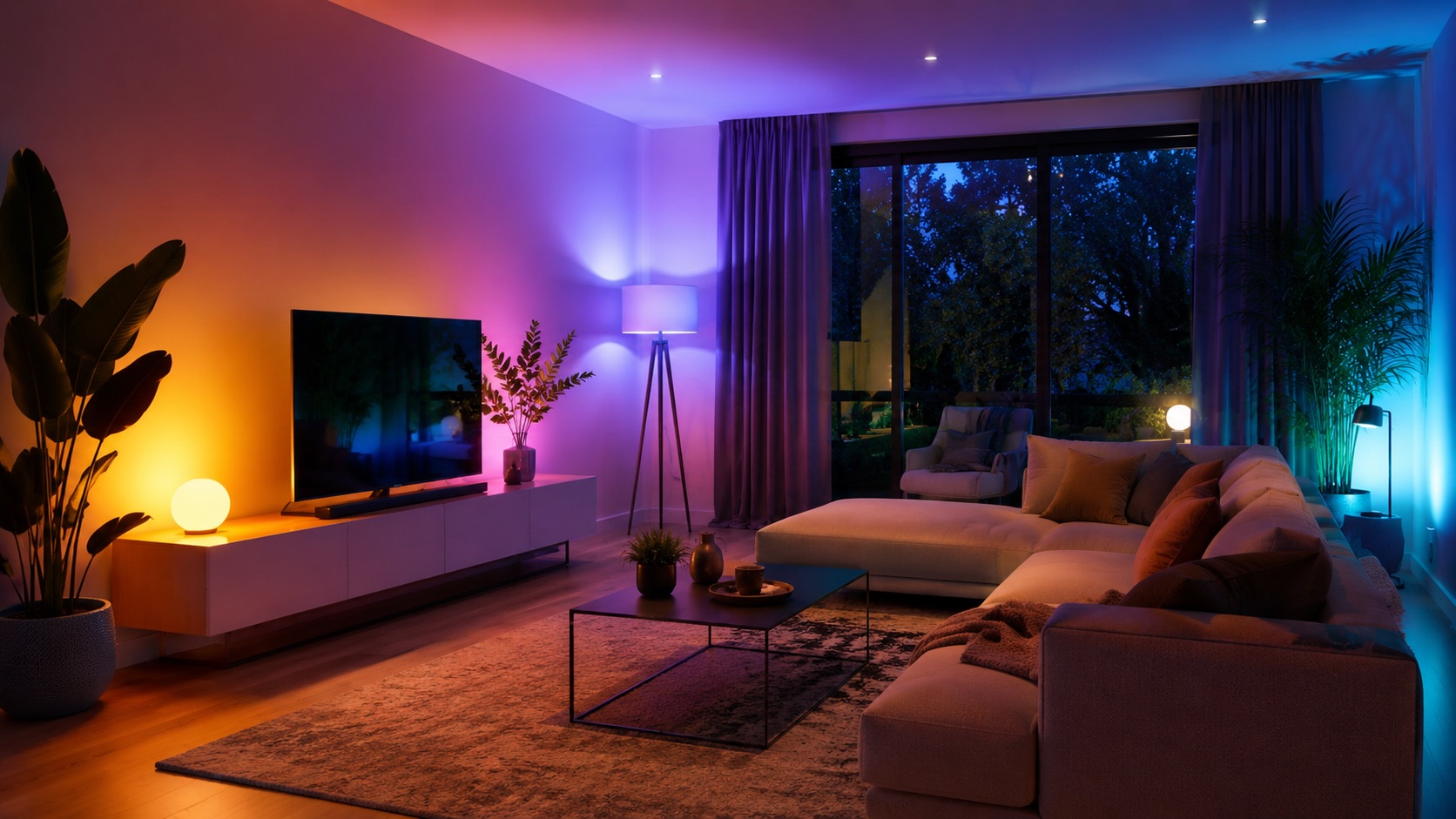
Best Smart Light Switches 2026
Best Smart Light Switches 2026
Smart light switches are the unsung heroes of home automation. While smart bulbs get all the attention, a single smart switch can control an entire fixture — multiple bulbs, ceiling fans, even outdoor floodlights — without replacing every individual bulb. They work with your existing dumb bulbs, they don’t lose functionality when someone flips the physical switch, and they scale affordably across a whole home.
We’ve tested every major smart switch on the market in 2026, evaluating installation ease, reliability, dimming performance, smart home integration, and overall value. Whether you’re running Home Assistant, SmartThings, or Apple Home, there’s a perfect switch for your setup.
Quick Comparison Table
| Switch | Price | Protocol | Neutral Required | Dimmer | Smart Home Integration | Special Features |
|---|---|---|---|---|---|---|
| Lutron Caseta | $60 + $80 bridge | Clear Connect | No | Yes | Alexa, Google, Apple Home, HA | Pico remotes, ultra reliable |
| Inovelli Blue 2-in-1 | $55 | Zigbee 3.0 | No (optional) | Yes | HA, SmartThings, Hubitat | LED notification bar, scenes |
| TP-Link Kasa KS220 | $20 | WiFi | Yes | Yes | Alexa, Google | Budget, easy setup |
| Leviton Decora Smart | $40 | WiFi | Yes | Yes | Alexa, Google, Apple Home | Clean design, reliable WiFi |
| Zooz ZEN77 | $35 | Z-Wave 700 | Yes | Yes | HA, SmartThings, Hubitat | Scene control, parameter config |
Lutron Caseta — Best Overall
Price: $60 per switch + $80 Smart Bridge (one-time)
Lutron Caseta isn’t the cheapest option, but it’s the one electricians and smart home professionals recommend most. The reason is simple: it never fails. Caseta uses Lutron’s proprietary Clear Connect RF protocol, which operates on a frequency with virtually zero interference. In years of testing, we’ve never had a Caseta switch miss a command.
The Pico remote is Caseta’s secret weapon — a tiny, battery-powered 5-button remote that can be wall-mounted with an included bracket. It looks like a second switch and gives family members a physical control point without needing the app. Each Caseta switch supports up to 10 associated Pico remotes.
Installation is straightforward even in older homes: Caseta doesn’t require a neutral wire, making it compatible with virtually any electrical box. The dimmer handles LEDs beautifully with no flickering or buzzing — Lutron publishes a compatibility list of thousands of tested LED bulbs.
Pros:
- Unmatched reliability — Clear Connect protocol has zero interference
- No neutral wire required
- Pico remotes are brilliant for 3-way setups
- Flawless LED dimming with published compatibility list
- Works with every major platform
Cons:
- Requires $80 bridge (one-time)
- $60 per switch is pricey
- Limited to 75 devices per bridge
- No Z-Wave or Zigbee mesh integration
Best for: Anyone who values reliability above all else, homes without neutral wires, and users who want Pico remotes for elegant multi-location control.
Inovelli Blue 2-in-1 — Best for Power Users
Price: $55 per switch
The Inovelli Blue is the enthusiast’s switch. Built on Zigbee 3.0, it connects directly to any Zigbee coordinator — no proprietary bridge required. This makes it ideal for Home Assistant and SmartThings setups where you’re already running a Zigbee network.
The headline feature is the multi-color LED notification bar on the switch face. Configure it to glow red when the garage is open, blue when it’s raining, green when the kids get home — the automation possibilities are endless. This bar supports 255 colors, variable brightness, and effects (pulse, chase, solid).
As a “2-in-1” device, the Inovelli Blue works as both a dimmer and an on/off switch. It doesn’t require a neutral wire (though it performs slightly better with one), and it supports smart bulb mode — keeping constant power to the fixture while sending button presses to your hub to control smart bulbs.
Pros:
- LED notification bar with 255 colors and effects
- Zigbee 3.0 — no proprietary bridge
- No neutral wire required
- Smart bulb mode (constant power to fixture)
- Multi-tap scenes (up to 5x tap for automations)
- Firmware updatable OTA
Cons:
- Requires a Zigbee coordinator (HA, SmartThings, Hubitat)
- Setup is more complex than WiFi switches
- Stock availability can be inconsistent
- No direct Alexa/Google integration without hub
Best for: Home Assistant users, automation enthusiasts, and anyone who wants LED notifications on their switches.
TP-Link Kasa KS220 — Best Budget
Price: $20 per switch
The TP-Link Kasa KS220 delivers solid smart switch functionality at an unbeatable price. At $20, it’s cheaper than most dumb dimmer switches from big-box stores. Setup takes 2 minutes through the Kasa app, and voice control via Alexa or Google works immediately — no hub required.
Dimming is smooth, scheduling is reliable, and the app is clean and responsive. The KS220 handles most LED bulbs well, though it lacks Lutron’s extensive compatibility testing. For basic automation — schedules, voice control, away-mode randomization — it does everything you need.
The catch: it requires a neutral wire, which some older homes (pre-1980s) don’t have in every box. Check before you buy.
Pros:
- $20 — cheapest reliable smart dimmer
- No hub required (WiFi direct)
- Simple 2-minute setup
- Clean, responsive Kasa app
- Works with Alexa and Google
Cons:
- Neutral wire required
- WiFi-only (uses network bandwidth)
- No Apple Home support
- Limited automation features vs. Zigbee/Z-Wave options
- No multi-tap or scene support
Best for: Budget-conscious buyers, renters (easy install/removal), and anyone who wants basic smart control without hub complexity.
Leviton Decora Smart — Best Design
Price: $40 per switch
Leviton’s Decora Smart line blends seamlessly with their ubiquitous Decora-style wall plates — the same rectangular rocker design found in millions of homes. If aesthetics matter and you don’t want your smart switches to look different from the rest of your home, Leviton is the answer.
The WiFi dimmer offers smooth, responsive control with a clean physical interface: rocker for on/off, small side buttons for dimming. The Decora app is straightforward, and the switches integrate with Apple HomeKit in addition to Alexa and Google Home — a rarity for WiFi switches.
Leviton also offers companion switches for multi-way setups (3-way, 4-way) at a lower cost than the primary switch, making whole-home deployment more affordable.
Pros:
- Matches standard Decora wall plates perfectly
- Apple HomeKit support (rare for WiFi switches)
- Smooth dimming with physical dim buttons
- Affordable companion switches for 3-way
- Reliable WiFi connectivity
Cons:
- Neutral wire required
- $40 is mid-range pricing
- No LED notifications or advanced features
- Limited automation compared to Zigbee/Z-Wave
Best for: Design-conscious homeowners, Apple Home users who want WiFi switches, and homes already using Leviton Decora plates.
Zooz ZEN77 — Best for Z-Wave Enthusiasts
Price: $35 per switch
The Zooz ZEN77 is a Z-Wave 700 series dimmer that packs an incredible amount of configurability into its compact frame. With over 25 adjustable parameters — ramp rate, minimum/maximum brightness, LED indicator color, paddle behavior, scene control — it’s a power user’s dream.
Z-Wave’s mesh networking means every switch strengthens your network. The more Zooz switches you install, the more reliable your system becomes. The ZEN77 supports multi-tap scenes (2x, 3x, 4x, 5x tap up or down), giving you up to 10 programmable scene triggers per switch.
At $35 with no required bridge (just a Z-Wave hub), the Zooz offers exceptional value for users already invested in a Z-Wave smart home hub.
Pros:
- 25+ configurable parameters
- Z-Wave 700 mesh networking
- Multi-tap scenes (up to 5x)
- $35 — great value for Z-Wave
- No proprietary bridge needed
- SmartStart for easy pairing
Cons:
- Neutral wire required
- Requires Z-Wave hub (HA, SmartThings, Hubitat)
- No direct voice assistant integration without hub
- Parameters require hub interface to configure
Best for: Z-Wave enthusiasts, Home Assistant power users, and anyone who wants maximum configurability at a moderate price.
When Smart Switches Beat Smart Bulbs
Smart switches and smart bulbs solve different problems. Here’s when switches are the better choice:
Choose smart switches when:
- You have multi-bulb fixtures (chandeliers, bathroom vanities, recessed lighting arrays)
- You want the physical switch to always work (no “don’t flip that switch!” problems)
- You don’t need individual bulb color control
- You’re doing whole-home automation on a budget
- You have high-wattage outdoor fixtures
- Family members resist change (the switch still works normally)
Choose smart bulbs when:
- You want color changing or tunable white
- You rent and can’t modify wiring
- You want per-bulb control in a fixture
- You have lamps without wall switches
The hybrid approach: Many smart homes use switches for overhead/recessed lighting and smart bulbs for lamps and accent lighting. Inovelli’s “smart bulb mode” is designed exactly for this — keeping power to smart bulbs while still using the switch for Zigbee scene commands.
Installation Tips
Before buying any smart switch, check these requirements:
-
Neutral wire — Open your switch box and look for a bundle of white wires connected with a wire nut. If present, you have neutral. If not, choose Lutron Caseta or Inovelli (both work without neutral).
-
Box depth — Smart switches are deeper than standard switches. Ensure your electrical box has enough room. Shallow boxes (common in older construction) may need Lutron Caseta, which has the shallowest form factor.
-
Load type — Confirm your switch will handle the connected bulbs’ total wattage. Most smart dimmers support 150W–600W of LED load.
-
Multi-way wiring — For 3-way or 4-way setups, each brand handles companions differently. Lutron uses Pico remotes, Inovelli uses Zigbee binding, and WiFi brands need companion switches.
If you’re starting a smart home from scratch, smart switches are often the best first investment — they control existing bulbs, they’re invisible to non-tech-savvy household members, and they don’t lose functionality when the WiFi goes down (dimming still works physically).
Matter Support in 2026
Matter compatibility is expanding rapidly in the smart switch category. As of mid-2026:
- Lutron Caseta — Matter support via bridge firmware update (announced, rolling out)
- Inovelli — Matter-over-Thread version in development, Zigbee version works with Matter bridges
- TP-Link Kasa — Select models shipping with Matter
- Leviton Decora — New models with Matter WiFi built-in
- Zooz — Z-Wave only, no Matter (accessible via Matter-compatible hubs)
If Matter compatibility is important to you, check the specific model number before purchasing. Many brands sell both pre-Matter and Matter-enabled versions simultaneously.
See how we compare products for our full methodology.
FAQ
Do I need a neutral wire for smart switches?
It depends on the switch. Lutron Caseta and Inovelli Blue work without a neutral wire. TP-Link Kasa, Leviton, and Zooz all require one. Homes built after the 1980s typically have neutral wires in switch boxes, but always check before purchasing. If you’re unsure, open the switch box and look for bundled white wires with a wire nut.
Can smart switches dim any LED bulb?
Not always. Some LED bulbs are not dimmable — check the packaging. Even among dimmable LEDs, some may flicker or buzz with certain smart dimmers. Lutron maintains a compatibility database of tested bulbs. For other brands, start with major bulb brands (Philips, GE, Cree) which tend to work well with most dimmers.
Are smart switches worth it if I already have smart bulbs?
Yes, in certain situations. Smart switches with “smart bulb mode” (Inovelli, Zooz) keep constant power to your smart bulbs while sending scene commands via Zigbee or Z-Wave. This solves the “someone turned off the switch” problem. In rooms without smart bulbs, switches are more cost-effective than replacing every bulb.
How many smart switches can my WiFi handle?
WiFi switches (Kasa, Leviton) each use one IP address on your network. Most consumer routers handle 30–50 devices reliably. For larger deployments (20+ switches), consider Zigbee (Inovelli) or Z-Wave (Zooz) options that don’t load your WiFi, or invest in a mesh WiFi system designed for high device counts.
Can I install a smart switch myself or do I need an electrician?
Most homeowners with basic comfort around electrical work can install smart switches. You’ll need to turn off the breaker, identify wires (line, load, neutral, ground), make connections with wire nuts, and secure the switch in the box. If you’re uncomfortable working with electrical wiring or your home has unusual wiring configurations, hire a licensed electrician. The typical install takes 15–30 minutes per switch.
Our Top Picks
- Best Overall: Lutron Caseta — unmatched reliability, no neutral required, Pico remotes
- Best for Power Users: Inovelli Blue — LED notifications, Zigbee, smart bulb mode
- Best Budget: TP-Link Kasa KS220 — $20, WiFi, simple and effective
- Best Design: Leviton Decora Smart — seamless aesthetics, HomeKit support
- Best for Z-Wave: Zooz ZEN77 — incredible configurability at $35
For most homes, we recommend starting with Lutron Caseta for critical lighting (living room, bedroom, kitchen) and supplementing with TP-Link Kasa in less-important areas to manage costs. Power users running Home Assistant should go all-in on Inovelli Blue for the LED notifications and Zigbee mesh benefits.