Best Smart LED Strips (2026)
Best Smart LED Strips (2026)
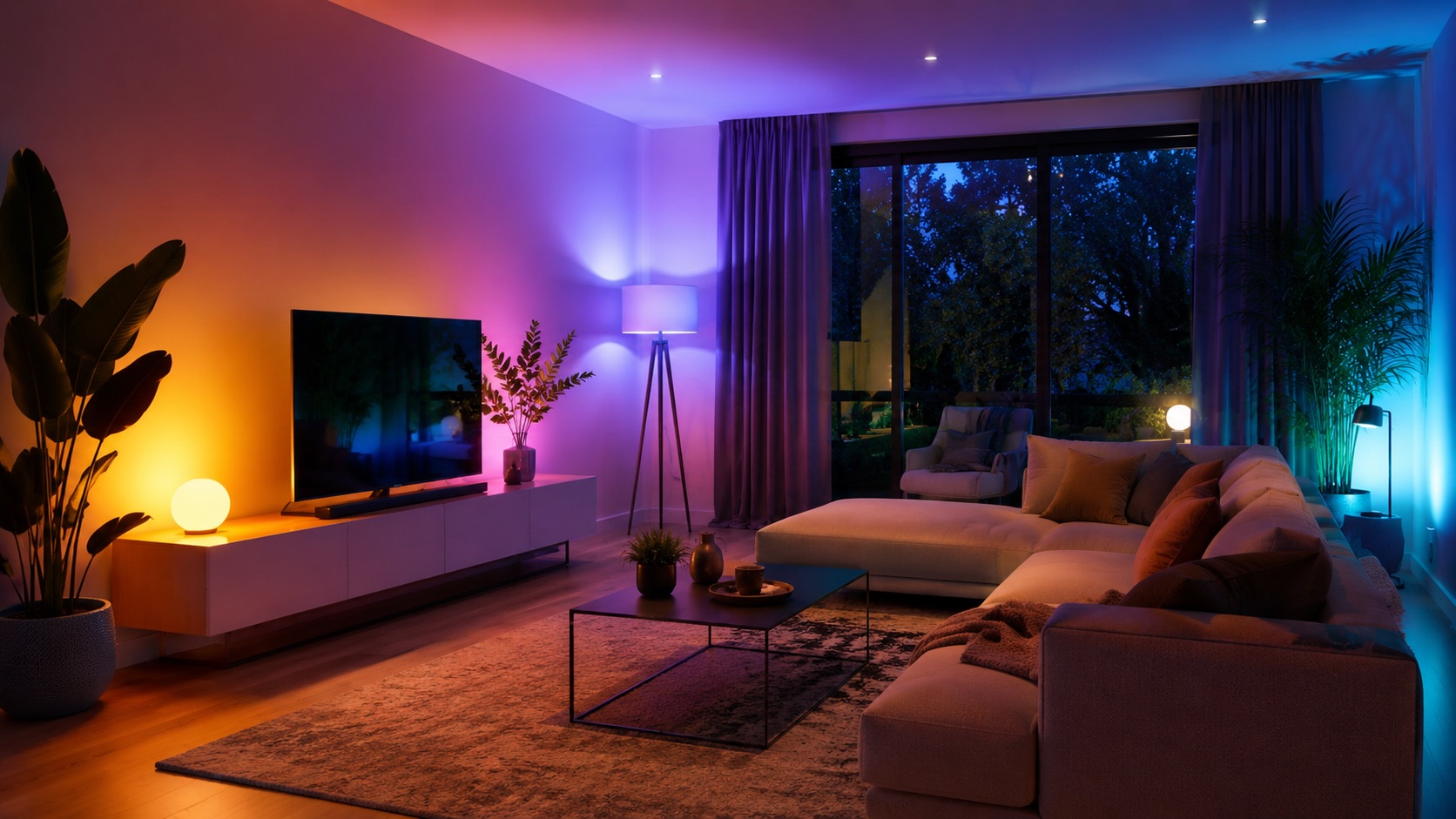
Smart LED strips are the most versatile and affordable way to add ambient lighting to any room. Stick them behind a TV, under a desk, along a ceiling cove, or beneath kitchen cabinets — a single strip can completely transform a space for under $50.
But with dozens of options on the market in 2026, choosing the right strip matters. The difference between a cheap no-name strip and a quality smart LED strip is enormous: color accuracy, app control, music sync, multi-zone capabilities, and smart home integration all vary wildly between brands.
We’ve tested the top smart LED strips of 2026 across every major use case. Here are our top picks, ranked.
1. Govee RGBIC LED Strip Pro — Best Overall Value
$25 / 5 meters | WiFi | No hub required
The Govee RGBIC LED Strip Pro is our top recommendation for most people. At just $5 per meter, it delivers features that strips costing 5x more struggle to match.
Key features:
- RGBIC segment control — display multiple colors simultaneously along the strip (up to 15 segments)
- Music sync — built-in microphone reacts to audio in real-time
- Scene modes — 100+ preset lighting scenes in the Govee Home app
- DIY mode — create custom color patterns and effects
- Voice control — works with Alexa and Google Assistant
- Cuttable — trim to size at marked intervals
The “IC” in RGBIC stands for Independent Control — each LED segment can display a different color simultaneously. This is a massive upgrade over basic RGB strips that show only one color at a time. Rainbow flows, gradient washes, and dynamic music-reactive patterns all look stunning.
Best for: Gaming desks, bedroom accent lighting, behind-monitor illumination, and anyone who wants great results without spending much.
2. Philips Hue Gradient Lightstrip — Best Premium Strip
$170 / 2 meters | Zigbee | Hue Bridge required
If you’re already invested in the Philips Hue ecosystem — or you demand the absolute best in color accuracy and smart home integration — the Gradient Lightstrip is unmatched.
Key features:
- Multi-color gradient — displays multiple colors seamlessly blended across the strip
- Hue Entertainment Sync — syncs with movies, games, and music through Hue Sync Box or desktop app
- Exceptional color accuracy — 16 million colors with precise, consistent rendering
- Deep integrations — works with every major smart home platform, Razer, Corsair, and more
- Reliable Zigbee protocol — no WiFi congestion, instant response times
- Extendable — add 1m extensions up to 5m total
The Gradient Lightstrip shines brightest (literally) as TV bias lighting paired with the Hue Sync Box. The way it matches on-screen colors and extends the picture beyond the TV frame is genuinely impressive. Nothing else in the market replicates this experience at the same quality level.
Best for: TV bias lighting with Hue Sync, home theater setups, users already in the Hue ecosystem. See our analysis of whether Philips Hue’s premium is worth it.
3. Nanoleaf Essentials Lightstrip — Best for Matter/Thread
$40 / 2 meters | Thread/Matter | No hub required
Nanoleaf’s Essentials Lightstrip strikes an excellent balance between the budget Govee strips and premium Hue options. Its standout advantage is native Matter and Thread support.
Key features:
- Matter/Thread protocol — local control, no cloud dependency, future-proof
- Color zones — multiple simultaneous colors along the strip (16 zones)
- Apple Home, Google Home, Alexa — native integration via Matter
- Touch control — on-strip button for basic control without an app or voice
- No hub required — connects directly via Thread border router (included in most HomePods, Nest Hubs, and Echo devices)
Thread connectivity means the strip responds instantly, works without internet, and won’t congest your WiFi network. For users building a Matter-based smart home, this strip integrates more cleanly than any competitor.
Best for: Apple HomeKit users, Matter/Thread smart home setups, users who want reliable local control. Learn more about starting a smart home from scratch.
4. LIFX Lightstrip — Brightest Strip
$80 / 2 meters | WiFi | No hub required
LIFX’s strip is the brightest on this list by a considerable margin — 1400 lumens across 2 meters. If you need LED strips that actually illuminate a space (not just accent it), LIFX delivers.
Key features:
- 1400 lumens — bright enough for task lighting, not just ambiance
- 8 color zones — simultaneous multi-color display
- No hub required — direct WiFi connection
- Polychrome technology — smooth color blending between zones
- HomeKit, Alexa, Google — broad smart home support
- High CRI whites — excellent warm and cool white reproduction
The LIFX Lightstrip is ideal for under-cabinet kitchen lighting where you need both ambiance AND functional illumination. It’s also the best choice for ceiling cove installations where brightness matters.
Best for: Under-cabinet lighting, ceiling coves, spaces needing functional brightness plus color, users wanting no-hub simplicity.
5. Cololight Strip — Best Budget Matter Strip
$50 / 5 meters | Matter/WiFi | No hub required
The Cololight Strip is a newer entrant offering RGBIC segment control with Matter compatibility at a budget price point.
Key features:
- RGBIC segment control — multiple colors displayed simultaneously
- Matter compatible — works with Matter controllers natively
- WiFi connectivity — easy setup through any Matter-compatible app
- Music sync — reactive lighting effects via built-in microphone
- 60 LEDs/meter — good density for smooth color transitions
- 5-meter length — generous coverage at $10/meter
For users who want both RGBIC effects AND Matter smart home integration without paying Nanoleaf prices, the Cololight Strip fills a unique niche. Color accuracy isn’t quite at Govee or Nanoleaf levels, but it’s perfectly acceptable for ambient lighting.
Best for: Budget-conscious users who still want Matter compatibility, long runs where per-meter cost matters.
Comparison Table
| Strip | Price/m | Colors Per Zone | Protocol | Hub Required | Music Sync | Best For |
|---|---|---|---|---|---|---|
| Govee RGBIC Pro | $5/m | 15 segments | WiFi | No | Yes | Gaming, value |
| Philips Hue Gradient | $85/m | Continuous gradient | Zigbee | Yes (Hue Bridge) | Yes (Sync Box) | TV bias, premium |
| Nanoleaf Essentials | $20/m | 16 zones | Thread/Matter | No | No | Smart home integration |
| LIFX Lightstrip | $40/m | 8 zones | WiFi | No | No | Brightness, task lighting |
| Cololight Strip | $10/m | 10+ segments | Matter/WiFi | No | Yes | Budget Matter |
Use Cases: Which Strip for What?
TV Bias Lighting
Winner: Philips Hue Gradient Lightstrip
For bias lighting behind a TV, you want smooth color gradients that match on-screen content. The Hue Gradient strip paired with a Hue Sync Box creates the best immersive experience available. Budget alternative: Govee TV Strip with their camera-based DreamView sync ($60 kit).
Under-Cabinet Kitchen Lighting
Winner: LIFX Lightstrip
Kitchen installations need brightness for task lighting plus color flexibility. The LIFX strip’s 1400 lumens provides genuine functional light — white for cooking, colors for entertaining. Warm white at high CRI makes food look appetizing under the lights.
Gaming Desk
Winner: Govee RGBIC LED Strip Pro
Gaming desks need vibrant, reactive lighting at accessible prices. The Govee strip’s music sync, 15-segment RGBIC control, and $25 price point make it perfect for behind-desk and under-desk illumination. For a complete gaming ambiance guide, see our Nanoleaf vs Govee comparison.
Ceiling Cove
Winner: LIFX Lightstrip or Govee RGBIC Pro
Ceiling cove installations prioritize brightness (LIFX) or color effects (Govee) depending on whether you want functional uplighting or purely decorative ambiance. For long runs across an entire room, Govee’s $5/meter pricing makes full-perimeter installation affordable.
Bedroom Ambiance
Winner: Nanoleaf Essentials Lightstrip
Bedrooms benefit from the Nanoleaf strip’s Thread reliability (instant on/off for sleep routines), warm dimming capabilities, and clean integration with smart home automations. Set it to gradually dim warm orange before bed or simulate sunrise in the morning.
Installation Tips
Surface preparation matters. Clean the mounting surface with isopropyl alcohol before applying adhesive. LED strips notoriously fall off walls — a clean surface and firm initial press prevents this.
Power supply placement. Plan where the controller/power adapter will sit. Most strips have a fixed connection point — measure twice so the power cable reaches an outlet without ugly wire runs.
Consider aluminum channels. For permanent installations (under cabinets, ceiling coves), aluminum LED channels ($10–$20 for 2m) provide clean diffusion, better heat dissipation, and a finished look that raw adhesive strips can’t match.
Don’t overextend. Most strips have maximum recommended lengths before voltage drop causes dimmer LEDs at the far end. Stick to manufacturer specs or use additional power injection points for long runs.
Smart Home Integration Considerations
If you’re building a broader smart home, consider how your LED strips fit into the bigger picture:
- Matter/Thread (Nanoleaf, Cololight): Future-proof, local control, works with any Matter controller
- Zigbee (Philips Hue): Reliable mesh network, excellent automation support, requires hub
- WiFi (Govee, LIFX): Easiest setup, no hub, but adds to WiFi congestion and depends on cloud
For tips on building a cohesive setup, check our guides on the best smart bulbs and smart home devices under $50.
See how we compare products for our full methodology.
FAQ
Are RGBIC strips worth it over basic RGB?
Absolutely. Basic RGB strips display only one color at a time across the entire length. RGBIC strips show multiple colors simultaneously, enabling gradients, rainbow flows, and segment-specific effects. The price difference is minimal in 2026 — nearly all quality strips now use RGBIC technology. There’s no reason to buy basic RGB anymore.
Do smart LED strips use a lot of electricity?
No. A typical 5-meter smart LED strip uses 15–25 watts at full brightness — roughly equivalent to a single incandescent bulb. Running a strip for 8 hours daily costs approximately $1–$2 per month on average US electricity rates. LED strips are among the most energy-efficient lighting options available.
Can I cut smart LED strips to length?
Most smart LED strips can be cut at marked intervals (usually every 2.5–5cm). However, cut portions cannot typically be reconnected, and cutting removes the end seal that provides any water resistance. Some premium strips (like Philips Hue) should not be cut as doing so voids the warranty and can damage the gradient technology.
Do LED strips damage walls when removed?
The adhesive backing can potentially damage paint or leave residue, especially on textured or freshly painted walls. To minimize damage: apply to smooth, clean surfaces; use low heat (hair dryer) when removing to soften adhesive; and consider mounting on removable command strip backing or aluminum channels that attach independently.
Which smart LED strip has the best music sync?
The Govee RGBIC LED Strip Pro offers the best music sync experience among strips tested. Its built-in microphone responds quickly, the RGBIC segments create visible beat-reactive patterns, and the Govee app offers multiple music visualization modes (energy, rhythm, spectrum). The Philips Hue Gradient with Sync Box is more precise but requires additional expensive hardware ($230 Sync Box).
Final Thoughts
The smart LED strip market in 2026 offers something for every budget and use case. The Govee RGBIC Pro remains our top overall pick for its unbeatable combination of features and value. The Philips Hue Gradient Lightstrip justifies its premium for home theater enthusiasts. And the Nanoleaf Essentials Lightstrip is the smart choice for forward-thinking Matter/Thread adopters.
Whatever you choose, a smart LED strip is one of the easiest and most impactful smart home upgrades you can make — visible results for minimal cost and effort.