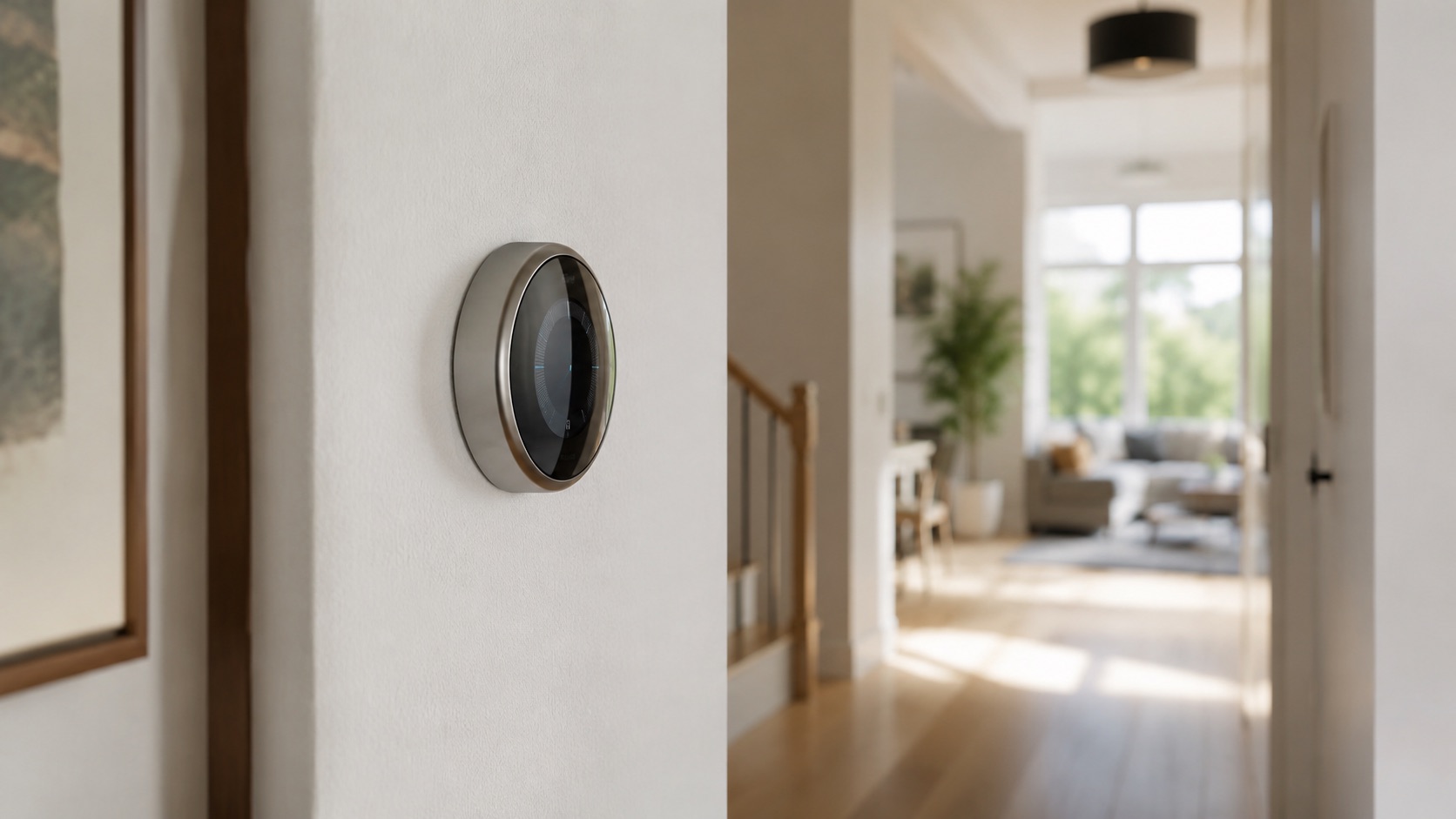
Aqara Thermostat Hub W200: Features and Zigbee Tradeoffs
Aqara Thermostat Hub W200: Features and Zigbee Tradeoffs
Aqara combines a thermostat, Zigbee coordinator, Thread border router, and Matter controller in a single wall-mounted device with a 4-inch touchscreen. This is a research-based analysis of its documented capabilities and tradeoffs; we have not installed or hands-on tested the W200.
For coordinator and protocol context, see our Zigbee and Zigbee2MQTT topic guide.
What the W200 Actually Is
Let me be clear about what Aqara built here, because the marketing muddles it. The W200 is a 4-in-1 device:
- HVAC thermostat with a 4” color touchscreen
- Zigbee 3.0 coordinator (hub for Aqara Zigbee devices)
- Thread border router (for Thread/Matter devices)
- Matter controller (bridges Zigbee devices to Matter ecosystems)
It also packs WiFi, Bluetooth, and a built-in radar sensor for occupancy detection. That radar isn’t a gimmick either. It detects whether someone is actually in the room and adjusts heating/cooling accordingly. No motion sensor that gives up after you sit still for five minutes.
Announced at CES 2026, it launched in April at $159.99. For comparison, a Nest Learning Thermostat costs $249 and does exactly one thing. The W200 does four things for $90 less. On paper, it’s an absurd value proposition.
The Zigbee Purist’s Dilemma
The key issue for Zigbee2MQTT users is coordinator ownership. The W200 uses Aqara’s Zigbee environment rather than acting as an open Zigbee2MQTT coordinator. Compare that architecture with our Zigbee2MQTT guide before committing devices to a second mesh.
The W200’s Zigbee coordinator is proprietary. It’s an Aqara coordinator, not an open one. You cannot pair the W200 to your Zigbee2MQTT network as a device, and you cannot use it as your Z2M coordinator. Your Aqara sensors, TRVs, and switches that connect to the W200 live in Aqara’s Zigbee network, separate from your Z2M mesh.
This is the fundamental compromise. For an existing Z2M user, the W200 creates a second Zigbee network in the home. Two coordinators can interfere when poorly planned, so channel allocation deserves attention.
The workaround: devices connected to the W200 can be exposed to Home Assistant via Matter bridging. So your Aqara TRV on the W200 shows up in HA through Matter, not through Z2M. It works, but it’s not the same level of control. You get basic climate entities, not the full Zigbee attribute access you’d get with Z2M.
That may be a deal-breaker for sensors and switches, while remaining acceptable for a self-contained climate setup.
Thermostat Performance
On paper, the touchscreen, scheduling controls, and radar-based occupancy detection distinguish the W200 from simpler thermostats. Aqara’s specifications describe presence-aware climate control, but we have not independently verified responsiveness, temperature accuracy, or vacancy timing.
If you don’t have a C-wire at your thermostat location, Aqara sells an adapter for $30. Most modern systems have a C-wire, but older homes might not. Check before buying.
Zone Heating with Aqara TRVs
The real power move is pairing the W200 with Aqara’s TRVs (thermostatic radiator valves). You get zone-by-zone heating control from one device. Living room at 21°C, bedroom at 18°C, office at 20°C. The W200 coordinates all of it.
This is where a dedicated Aqara coordinator may be useful: compatible TRVs can communicate within one climate-focused environment. Whether that benefit outweighs running a second Zigbee network depends on the existing setup.
For European homes with radiator systems, this is a compelling setup. Check our best smart thermostat roundup for how the W200 stacks up against alternatives for zone heating.
Matter and Ecosystem Integration
The W200 works with Apple Home (including Adaptive Temperature and Clean Energy Guidance in iOS), Google Home, Alexa, and SmartThings. That’s genuinely impressive platform coverage.
Through Matter bridging, your Aqara Zigbee devices connected to the W200 become visible in these ecosystems. So your Aqara door sensor can trigger automations in Apple Home. Your Aqara motion sensor can work in Google Home routines. The W200 acts as the translator.
For Home Assistant users, the W200 works via the Aqara integration. Some devices bridged through the W200 can also appear in HA via Matter. It’s not as clean as having everything in Z2M with direct local control, but it’s functional. Check our guide on Matter-compatible devices to understand what’s possible.
The Thread border router function means Thread devices in your home get another access point. If you’re building out a Thread/Matter network alongside Zigbee, having a border router at your thermostat location isn’t a bad bonus.
The Mixed Reviews Problem
Published reviews have reached different conclusions. The split appears to come down to expectations and preferred ecosystem architecture.
If you expect a Nest-like polished thermostat experience with learning algorithms and a beautiful app, you’ll be disappointed. The Aqara Home app is functional but not elegant. The learning features are basic compared to Nest or Ecobee.
If you expect a hub that replaces your dedicated Zigbee coordinator for advanced automations, you’ll be frustrated. It can’t do what Z2M does.
But if you see it as a thermostat that happens to also manage your Aqara climate accessories (TRVs, sensors) and bridges them to your preferred ecosystem via Matter, it’s excellent value. $159.99 for all of that functionality is hard to beat.
Comparison Table
| Feature | Aqara W200 | Nest Learning 4th Gen | Ecobee Premium | Honeywell T9 |
|---|---|---|---|---|
| Price | $159.99 | $249 | $249 | $199 |
| Display | 4” touchscreen | 2.4” display | 3.5” touchscreen | Smaller display |
| Zigbee Hub | Yes (coordinator) | No | No | No |
| Thread Border Router | Yes | Yes | No | No |
| Matter Support | Yes (controller) | Yes | Yes | No |
| Occupancy Sensor | Radar (mmWave) | Motion + Learning | Motion + voice | Remote sensors |
| Zone Heating (TRVs) | Yes (Aqara TRVs) | No | No | Remote sensors only |
| Apple Home | Full (Adaptive Temp) | Yes | Yes | No |
| Z2M Compatible | No (proprietary) | N/A | N/A | N/A |
| C-wire Required | Yes ($30 adapter avail.) | No (battery option) | Yes | Yes |
Who Should Buy the W200
Buy it if: You’re already in the Aqara ecosystem, you want zone heating with TRVs, or you need a combined thermostat and hub to reduce wall clutter. It’s also great if you’re an Apple Home user who wants Zigbee sensors exposed to HomeKit via Matter.
Skip it if: You run Zigbee2MQTT and want everything on one coordinator. Skip it if you prioritize learning algorithms over manual scheduling. And skip it if your HVAC setup is simple enough that a basic smart thermostat does the job.
A plausible deployment is to keep the W200 and compatible TRVs on a separate Zigbee channel while exposing supported climate entities to Home Assistant through Aqara or Matter. Verify the exact entities and local behavior for the current firmware before buying.
We test and compare devices like this across our review methodology to give you an honest picture rather than regurgitated spec sheets.
Home Assistant Integration
Getting the W200 into Home Assistant isn’t hard, but it’s not plug-and-play either. You’ll use the Aqara integration (cloud-based initially for pairing, then some local control). The thermostat entity works well: you get current temperature, setpoint, mode, and occupancy state.
Devices connected to the W200’s Zigbee network can be exposed to HA through Matter. This requires setting up Matter in HA (which needs a Thread border router or WiFi commissioning). Once bridged, your Aqara TRVs appear as climate entities in HA.
One possible automation is to lower compatible TRVs after an extended vacancy and restore comfort mode when presence returns. This is a useful pattern, but we have not independently tested it on the W200.
For the full picture on making this work with other Home Assistant integrations, check our dedicated guide. And if you’re choosing between hubs, our smart home hub comparison covers the alternatives.
Verdict
The Aqara W200 is a smart thermostat that tries to be everything and mostly succeeds. At $159.99, the value is undeniable. You get a competent thermostat, a Zigbee hub for Aqara accessories, a Thread border router, and a Matter bridge. That’s four devices’ worth of functionality at one device’s price.
The catch for Zigbee purists is that it is a closed Zigbee coordinator. It will not replace a Z2M setup and instead creates a second Zigbee network. A separated climate network may be practical, but we have not validated that configuration ourselves.
The W200 has an unusually broad feature set, but its closed Zigbee architecture creates real caveats for advanced users. Treat it as a researched shortlist candidate rather than a hands-on recommendation from this site.
FAQ
Does the Aqara W200 work with Zigbee2MQTT?
No. The W200 uses a proprietary Aqara Zigbee coordinator. You cannot pair it to your Z2M network as a device, and you cannot use its coordinator with Z2M firmware. Devices on the W200 can be exposed to Home Assistant via Matter bridging, but that’s a different path than direct Z2M control.
Can I use the W200 as my only smart home hub?
If you’re exclusively using Aqara devices, yes. It functions as a Zigbee coordinator for Aqara sensors, switches, and TRVs. It also bridges them to Matter ecosystems. But it only supports Aqara Zigbee devices, not third-party Zigbee products like IKEA or Sonoff.
Does the W200 require internet to work as a thermostat?
The basic thermostat functions (scheduling, temperature control, occupancy detection) work locally without internet. The Matter bridging to other ecosystems also works locally once commissioned. Cloud is needed for the Aqara app remote access and initial setup.
Is the $30 C-wire adapter worth it?
If you don’t have a C-wire, you don’t have a choice. The W200 requires constant power and doesn’t have a battery backup mode like Nest. The adapter is straightforward to install. If your thermostat wiring only has R, W, Y, and G wires (no blue C-wire), you’ll need it.
How does the radar occupancy sensor compare to basic motion sensors?
Radar can detect stationary occupants more effectively than a basic PIR sensor. Check Aqara’s current detection-range specification and independent testing for the room layout you intend to use; we have not verified a four-metre range ourselves.