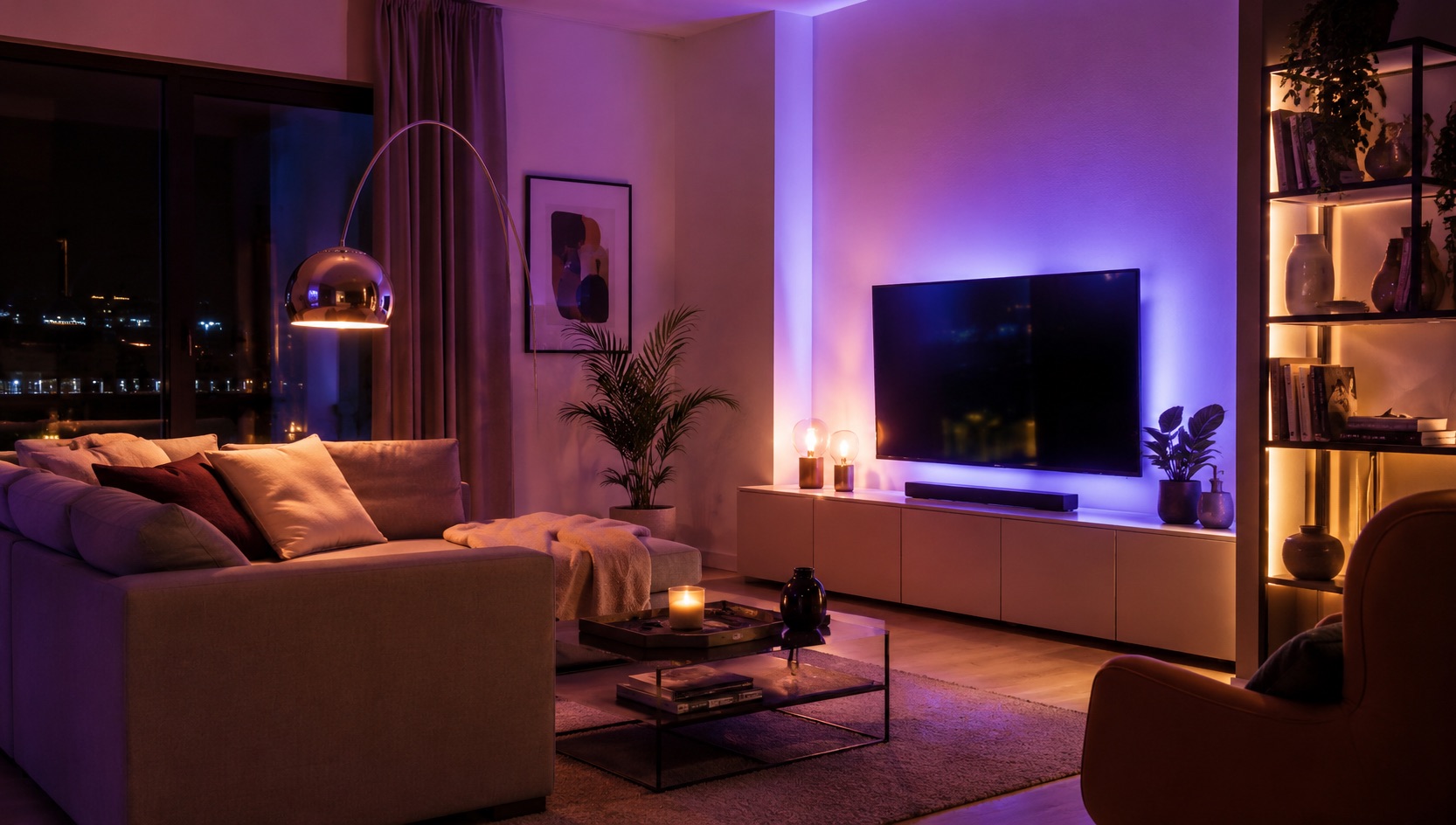
Best Smart Home for Yoga and Meditation Spaces (2026)
Best Smart Home for Yoga and Meditation Spaces (2026)
Creating a dedicated yoga and meditation space is about more than just rolling out a mat. The right smart home technology transforms any room into an instant sanctuary — dimming lights to warm candlelight tones, playing nature sounds, silencing notifications, and adjusting the climate — all with a single tap or voice command. In 2026, the devices and automations available make it easier than ever to build a mindfulness space that eliminates friction and deepens your practice.
This guide covers the best smart home devices for yoga and meditation rooms, including one-touch scene automation, ambient lighting, sound integration, climate control, and distraction-blocking features that help you get into flow faster.
Why Automate Your Meditation and Yoga Space?
The biggest enemy of mindful practice is friction. If you have to manually dim lights, start a playlist, turn on a diffuser, and silence your phone every time you want to meditate, you’ll skip sessions. Smart home automation removes those barriers entirely.
A well-configured meditation scene activates everything simultaneously: lights shift to warm 2200K candlelight, a speaker begins playing rain sounds, your essential oil diffuser powers on, your phone enters Do Not Disturb mode, and the thermostat adjusts to your preferred practice temperature. One tap. Zero friction.
The result is a space that invites practice rather than requiring preparation.
Essential Smart Devices for a Yoga and Meditation Space
Smart Bulbs for Warm Ambient Lighting
The foundation of any meditation space is lighting. Harsh overhead fluorescents destroy calm. Smart bulbs set to candlelight or warm sunset tones (1800K–2200K) create the visual warmth that signals relaxation to your nervous system.
The best options for meditation spaces support extremely low brightness levels (1% dimming), warm color temperatures below 2000K, and gradual fade transitions rather than abrupt changes. Look for bulbs that can simulate candlelight flicker for an even more immersive experience.
For yoga practice specifically, you’ll want slightly brighter task lighting around the mat area — around 20-30% warm white — so you can see your alignment without straining. Smart light strips placed behind a shelf or under furniture create indirect uplighting that doesn’t hit your eyes during savasana or seated meditation.
Essential Oil Diffuser on Smart Plug Timer
An ultrasonic essential oil diffuser plugged into a smart plug becomes part of your automated meditation scene. When the scene activates, the smart plug powers on the diffuser. Set a timer automation to turn it off after 30-45 minutes so you don’t have to think about it.
Choose a diffuser with a mechanical power button that defaults to “on” when it receives power — this way the smart plug can control it reliably. Pair with lavender, frankincense, or sandalwood oils for calming practice sessions.
Sound and Nature Audio Integration
A dedicated smart speaker or small bookshelf speaker in your meditation space provides ambient soundscapes. Nature sounds (rain, forest, ocean waves, birdsong) or singing bowl tones work better than music with lyrics or complex melodies.
Set your automation to start a specific playlist or sound machine app when your meditation scene activates. Many smart speakers support routines that can play specific sounds for a set duration and then fade out.
Climate Control for Comfort
Temperature matters for practice. Too cold and your muscles tighten; too hot and you lose focus. A smart thermostat or smart space heater set to your ideal practice temperature (68-72°F for yoga, slightly cooler for meditation) ensures comfort without distraction.
If your practice space has a ceiling fan, a smart fan controller lets you include airflow in your scene — gentle circulation for hot yoga practice or still air for deep meditation.
Automatic Do Not Disturb and Phone Silencing
The most underrated meditation automation is silencing interruptions. Using Apple Shortcuts, Android automation, or Home Assistant integrations, you can trigger DND mode on all household devices when your meditation scene activates.
Some setups use an NFC tag on or near the yoga mat — tap your phone to the tag, and it triggers the full scene and activates Focus/DND mode on your phone simultaneously.
Meditation Timer Integration
Smart displays or speakers can serve as meditation timers with gentle chime endings rather than jarring alarms. Some practitioners use a dedicated meditation app that integrates with their smart home — starting a session in the app triggers the full room scene, and ending the session gradually brings lights back up.
One-Touch Meditation Scene: How to Set It Up
The ideal meditation scene combines all devices into a single activation. Here’s what a complete scene looks like:
- Lights dim to 5-10% warm candlelight (2000K)
- Light strips behind furniture glow soft amber
- Diffuser powers on via smart plug
- Speaker begins playing nature sounds at low volume
- Thermostat adjusts to 70°F
- Phone enters DND/Focus mode
- Smart display shows meditation timer or goes dark
Trigger options include: voice command (“Hey Google, meditation time”), NFC tag tap near the mat, a physical smart button on the wall, or a time-based schedule for daily practice routines.
When the session ends, a “practice complete” command or timer gradually brings lights back to 50% over 2 minutes, stops the audio, and disables DND mode — a gentle transition back to normal awareness.
Yoga Mat Area Lighting
For active yoga practice (vinyasa, ashtanga, power yoga), you need more visibility than deep meditation requires. A dedicated smart light positioned to illuminate your mat area without glare provides task lighting you can adjust independently.
Consider a smart floor lamp or adjustable smart spotlight aimed at the mat area. Set it to 30-40% warm white during active practice and include it in a separate “yoga flow” scene that’s brighter than your meditation scene but still warmer than standard room lighting.
Comparison Table: Best Devices for Yoga and Meditation Spaces
| Device | Price | Practice Benefit | Automation | Scene Role |
|---|---|---|---|---|
| Philips Hue White Ambiance (4-pack) | $90-110 | Warm 2200K candlelight, 1% dimming | Scene-triggered, gradual fade | Primary ambient lighting |
| Philips Hue Lightstrip Plus | $70-80 | Indirect uplighting, no eye glare | Scene-triggered amber glow | Background accent lighting |
| TP-Link Kasa Smart Plug (KP125) | $15-18 | Powers diffuser on/off with timer | Scene-triggered + auto-off timer | Diffuser control |
| Amazon Echo Pop / Nest Mini | $25-40 | Nature sounds, meditation timer, voice trigger | Routine/scene activation | Audio + scene trigger |
| Ecobee Smart Thermostat | $190-220 | Maintains ideal practice temperature | Scene adjusts to 70°F | Climate comfort |
| LIFX Candle Color | $35-45 | Realistic candlelight flicker effect | Scene-triggered flicker mode | Immersive ambiance |
| Aqara Smart Button | $15-20 | Physical one-press scene activation | Triggers full meditation scene | Scene trigger (no voice needed) |
| SwitchBot NFC Tag (3-pack) | $9-12 | Tap phone to activate scene + DND | Triggers Shortcuts/Tasker automation | Silent scene + DND trigger |
| Levoit Core 200S Diffuser | $40-50 | Aromatherapy during practice | Powered by smart plug timer | Scent layer |
| Google Nest Hub (2nd gen) | $80-100 | Visual timer, sunrise alarm for morning practice | Scene-triggered display mode | Timer + ambient display |
Building Your Practice Routine with Automation
Morning Meditation Schedule
Set a daily automation that begins your meditation scene 5 minutes before your scheduled practice time. The lights gradually shift, the diffuser starts, and a gentle chime plays on the speaker when it’s time to begin. This removes the decision fatigue of “should I practice today?” — the space is already ready and inviting.
Post-Workout Cool Down
If you practice yoga after a workout, create a “cool down” scene that’s slightly cooler (fan on low), brighter than deep meditation, and plays slower-tempo ambient sounds. This transitions you from high energy to calm recovery.
Evening Wind-Down
An evening meditation scene can tie into your broader bedtime routine. After your session ends, lights in the rest of the house can begin dimming toward sleep mode, creating a seamless transition from practice to rest.
Tips for the Best Meditation Space Setup
- Eliminate visual clutter: Smart devices should be small and discreet — avoid large screens or blinking LEDs in your line of sight
- Use warm tones only: Never include cool white or blue light in meditation scenes
- Start simple: Begin with just smart bulbs and a smart plug for the diffuser, then expand
- Test sound levels: Nature sounds should be barely audible background, not foreground
- Position matters: Place speakers behind you so sound feels environmental, not directional
See how we compare products for our full methodology.
Frequently Asked Questions
What’s the best smart bulb color temperature for meditation?
Between 1800K and 2200K at very low brightness (5-10%). This mimics candlelight and signals your brain to relax. Avoid anything above 3000K in your meditation space — warm amber tones are ideal for calming the nervous system and reducing stimulation.
Can I automate Do Not Disturb mode as part of a smart home scene?
Yes. On iPhone, you can use Shortcuts automations triggered by NFC tags or time of day to activate Focus modes. On Android, Tasker or Samsung Routines can toggle DND when a smart home scene activates. Home Assistant can also send notifications or trigger phone automations through companion apps.
Do I need a smart speaker in my meditation space?
It’s not required but highly recommended. A smart speaker provides nature sounds, acts as a voice trigger for scenes, and can serve as a meditation timer with gentle chimes. If you prefer silence during practice, you can still use it as the scene trigger and have it go silent after activation.
What’s the cheapest way to start automating a meditation space?
Start with two smart bulbs ($25-30) and one smart plug ($15) for your diffuser. That’s under $50 for a basic one-touch meditation scene. Add a smart button ($15-20) for physical activation without needing your phone, bringing the total to around $65 for a complete entry-level setup.
How do I prevent smart home notifications from interrupting meditation?
Set all smart speakers and displays to DND mode as part of your meditation scene. Disable notification sounds on smart displays. Use your phone’s Focus/DND mode to silence calls and alerts. For the most distraction-free experience, use an NFC tag or physical button to trigger your scene so your phone can go face-down immediately.
Related Guides
-
How to Start a Smart Home From Scratch Looking to expand your smart home setup beyond the meditation space? These guides cover related topics:
-
Best Smart Bulbs 2026 — Full comparison of the best smart bulbs for any room, including warm-tone options perfect for meditation spaces
-
Best Smart Home Devices Under $50 — Budget-friendly smart devices to start building your automated space without overspending
-
Best Smart Thermostat 2026 — Climate control options that integrate with meditation scenes for ideal practice temperature
Final Thoughts
A smart meditation and yoga space isn’t about adding complexity — it’s about removing it. The goal is zero-friction transitions into practice: one tap, one word, or one scheduled time, and your space transforms into a sanctuary. Start with lighting and a diffuser, build your perfect scene, and let automation protect your practice time from the distractions of daily life. The technology disappears into the background so you can be fully present.