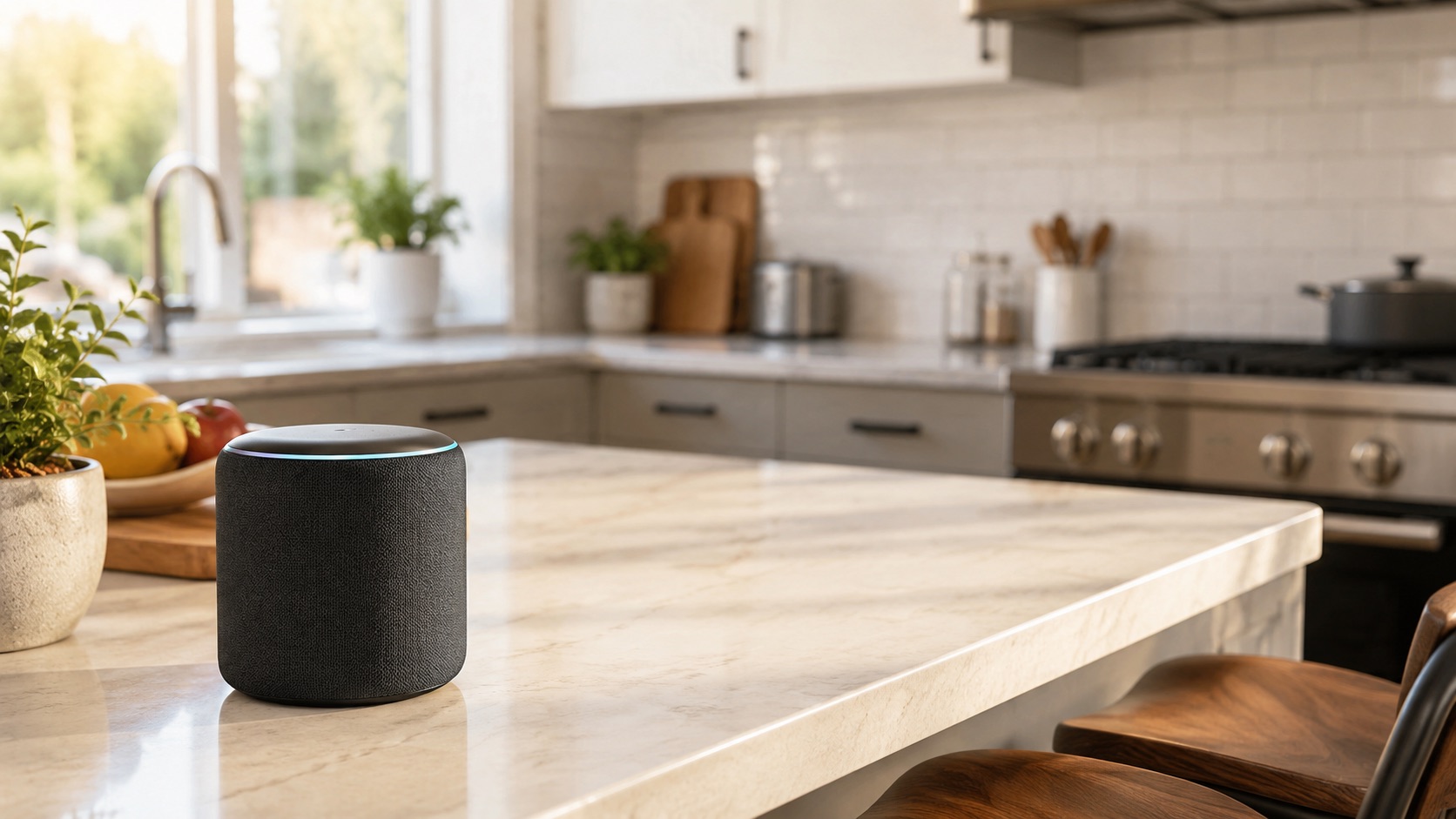
Best Smart Home Devices for Alexa (2026)
Best Smart Home Devices for Alexa in 2026
Amazon Alexa remains the most widely supported smart home voice platform in 2026. With over 300,000 compatible devices, Frustration-Free Setup, and the most powerful routines engine of any consumer platform, Alexa is the backbone of millions of smart homes.
But having the most compatible devices doesn’t mean every device works equally well. Some offer deep Alexa integration with Routines support, hunches, and Frustration-Free Setup, while others barely respond to basic voice commands. In this guide, we’ve handpicked the best devices in every category that truly shine within the Alexa ecosystem.
If you’re still weighing your platform options, our best smart home ecosystem 2026 guide breaks down the differences between Alexa, Google Home, and Apple HomeKit.
Top Picks at a Glance
| Category | Top Pick | Price | Alexa Integration | Works With Routines | Alternative |
|---|---|---|---|---|---|
| Smart Speaker | Echo Dot (5th Gen) | $49.99 | ★★★★★ Native | ✅ Trigger + Action | Echo Pop ($39) |
| Smart Display | Echo Show 8 (3rd Gen) | $149.99 | ★★★★★ Native | ✅ Trigger + Action | Echo Show 5 ($89) |
| Indoor Camera | Ring Indoor Cam (2nd Gen) | $59.99 | ★★★★★ Native | ✅ Trigger + Action | Blink Mini 2 ($39) |
| Outdoor Camera | Ring Stick Up Cam | $99.99 | ★★★★★ Native | ✅ Trigger + Action | Blink Outdoor 4 ($99) |
| Video Doorbell | Ring Battery Doorbell Plus | $149.99 | ★★★★★ Native | ✅ Trigger + Action | Blink Doorbell ($49) |
| Thermostat | Ecobee Premium | $249.99 | ★★★★★ Built-in Alexa | ✅ Full | Amazon Smart Thermostat ($59) |
| Smart Lights | Govee Smart Bulb (Matter) | $12.99 | ★★★★☆ Matter | ✅ Action | Philips Hue ($14.99+) |
| Smart Lock | August WiFi Smart Lock | $129.99 | ★★★★☆ Cloud | ✅ Action | Schlage Encode Plus ($299) |
| Smart Plug | Amazon Smart Plug | $24.99 | ★★★★★ Native | ✅ Trigger + Action | Kasa KP125 ($14.99) |
| Sensors | Ring Alarm Contact Sensor | $24.99 | ★★★★★ Native | ✅ Trigger + Action | Aqara P2 (Matter, $19) |
Smart Speakers and Displays
Echo Dot (5th Gen) — $49.99
The Echo Dot is the workhorse of any Alexa smart home. At $49.99 (frequently on sale for $29.99), it puts Alexa in every room affordably. The 5th Gen features improved audio, an integrated temperature sensor for room-based automations, and eero mesh Wi-Fi extension built in.
Why it’s essential: The Echo Dot acts as both a voice control endpoint and a smart home hub. Its built-in temperature sensor lets you trigger routines based on room temperature (“if bedroom exceeds 75°F, turn on fan”). You’d need a separate sensor for this with other platforms.
Echo Show 8 (3rd Gen) — $149.99
The Echo Show 8 is the best balance of screen size, audio quality, and price in the Echo lineup. It displays camera feeds, controls smart home devices via touch, shows visual routine confirmations, and handles video calls. The adaptive color display adjusts to ambient lighting.
For the smart home specifically, the Show 8 lets you view all camera feeds in a grid, control devices with tap-to-toggle widgets, and see routine activity in real time. It’s the Alexa equivalent of a smart home control panel.
Cameras
Ring Indoor Cam (2nd Gen) — $59.99
Ring cameras are Amazon’s native camera platform, and the integration shows. Ring cameras announce on Echo devices, show live feeds on Echo Shows with a voice command, trigger Alexa routines on motion or person detection, and integrate with Ring Alarm for a unified security system.
The 2nd Gen Indoor Cam adds a physical privacy shutter, improved night vision, and a smaller form factor. At $59.99, it’s remarkably affordable for the integration quality you get.
Blink Outdoor 4 — $99.99
For outdoor monitoring without wiring, Blink Outdoor 4 runs on two AA batteries for up to two years. It integrates with Alexa for motion announcements and live view on Echo Shows. The trade-off versus Ring is fewer routine trigger options and no 24/7 recording option.
For a detailed camera comparison, see our Ring vs Arlo vs Eufy cameras compared and best outdoor security cameras without subscription guides.
Ring Battery Doorbell Plus — $149.99
The Ring Doorbell Plus delivers 1536p head-to-toe video, package detection, and seamless Echo integration. When someone presses the doorbell, every Echo device in your home announces “Someone is at the front door” and Echo Shows automatically display the live feed.
You can set routines that trigger when motion is detected — turn on porch lights, pause your TV, or send a notification to your phone. See our full best video doorbells 2026 roundup for more options.
Thermostat
Ecobee Premium — $249.99
The Ecobee Premium is unique because it has Alexa built directly into the thermostat. It works as a full Echo device — play music, control other devices, make announcements — while also being a top-tier smart thermostat. Its SmartSensor technology and occupancy detection make it the most intelligent option available.
Alexa integration highlights: Full routine support (trigger actions based on temperature, use thermostat as routine action), built-in Alexa speaker, occupancy-based climate control, and energy reports via voice command.
Amazon Smart Thermostat — $59.99 (Budget Pick)
If you want basic Alexa thermostat control without the premium price, Amazon’s own thermostat costs just $59.99. It supports hunches (Alexa adjusts based on your patterns), routine integration, and voice control. It lacks the Ecobee’s room sensors and built-in speaker but handles the fundamentals well.
For a comprehensive thermostat comparison, visit our best smart thermostat 2026 guide.
Smart Lights
Govee Smart Bulbs (Matter) — $12.99
Govee offers some of the cheapest Matter-compatible smart bulbs on the market. At under $13 per RGBW bulb, you can outfit an entire home affordably. They connect to Alexa via Matter for local control, support dimming and color changes via voice, and work in routines as actions.
Govee’s app also offers scene modes and music sync features that go beyond what Alexa voice control provides. For the price, nothing else comes close.
WiZ Connected Bulbs — $9.99+
WiZ (owned by Signify, the same company behind Philips Hue) offers even cheaper smart bulbs with direct Wi-Fi connectivity and Alexa support. They lack Matter but work reliably through the cloud integration. A great choice if you want the absolute lowest price per bulb and don’t mind cloud dependency.
Philips Hue — $14.99+ per bulb
Philips Hue is the premium option with the widest range of form factors and the most reliable performance. The Hue Bridge enables ultra-fast response times and the Entertainment API syncs lights with games and movies. Alexa integration is excellent — full routine support, room/zone grouping, and scene activation via voice.
Smart Locks
August WiFi Smart Lock (4th Gen) — $129.99
The August WiFi lock retrofits over your existing deadbolt in minutes, preserving your physical key. It connects directly to Wi-Fi (no bridge needed) and supports Alexa voice commands for lock/unlock, DoorSense auto-lock, and routine integration.
Key Alexa features: “Alexa, lock the front door” voice commands, include lock status in routine conditions, auto-lock when your Goodnight routine triggers, and guest access scheduling via the August app.
Schlage Encode Plus — $299.99
The Schlage Encode Plus is a full deadbolt replacement with built-in Wi-Fi, Apple Home Key support, and Matter compatibility. It’s more expensive than August but offers commercial-grade security, a built-in keypad, and extremely reliable connectivity. Works with Alexa routines for lock/unlock actions.
For all lock options, check our best smart locks 2026 guide.
Smart Plugs
Amazon Smart Plug — $24.99
Amazon’s own smart plug offers the fastest, most reliable Alexa integration via Frustration-Free Setup. Plug it in, and Alexa discovers it automatically — no app, no pairing process, no account creation. It supports energy monitoring via Alexa’s energy dashboard and works as both a routine trigger and action.
The main drawback is the slightly higher price versus third-party plugs and its larger form factor that may block adjacent outlets.
Kasa Smart Plug KP125 — $14.99
Kasa’s plug is cheaper, slimmer, and includes energy monitoring. The trade-off is a slightly longer setup process (you’ll use the Kasa app first, then link to Alexa). Once connected, it works perfectly in routines and responds to voice commands without any noticeable latency.
Sensors
Ring Alarm Contact Sensor (2nd Gen) — $24.99
Ring Alarm sensors offer the deepest Alexa integration of any sensor platform. Open/close events trigger Alexa routines instantly — turn on lights when a door opens, announce when the back door is left open, or arm Ring Alarm when all sensors show closed.
You’ll need the Ring Alarm Base Station ($199.99) to use Ring sensors. If you’re already invested in Ring’s ecosystem for cameras, adding the alarm system and sensors creates a remarkably cohesive setup.
Aqara Sensors with Matter — $19.99
For those who don’t want the Ring Alarm base station, Aqara’s Matter-compatible sensors work with Alexa through an Aqara hub. They’re cheaper per unit and offer more variety (motion, temperature, humidity, vibration) but lack the native Ring-Alexa depth. See our best smart sensors 2026 guide for full comparisons.
Alexa Routines: The Secret Weapon
Alexa’s Routines engine is the most powerful consumer automation platform available. Key capabilities that set it apart:
- Multiple triggers: Time, voice command, device state, location, alarm dismiss, Echo button press
- Conditions: Time-of-day restrictions, device state conditions (if lock is unlocked, if sensor is open)
- Actions: Control devices, send announcements, play music, adjust volume, send notifications, wait/delay between actions, run other routines
- Frustration-Free Setup: Amazon-branded and certified devices configure themselves automatically
When building your Alexa smart home, prioritize devices labeled “Works with Alexa” with routine support (trigger and action) over those with voice-only control.
Frustration-Free Setup: Why It Matters
Devices with Amazon’s Frustration-Free Setup certification connect to your Alexa network automatically. You plug them in or install batteries, and they appear in your Alexa app within 30 seconds — no pairing mode, no scanning codes, no app-hopping.
Devices with Frustration-Free Setup: Amazon Smart Plug, Ring cameras and sensors, Echo devices, Blink cameras, Amazon Smart Thermostat, select Philips Hue kits.
This is a significant time-saver if you’re deploying many devices and a key advantage of staying within Amazon’s ecosystem.
Building Your Alexa Smart Home: Recommended Order
- Start with an Echo Dot or Echo Show — your voice control endpoint and smart home hub
- Add smart plugs — instant automation for existing lamps and devices, and the easiest first win
- Install smart lights — the most visible daily improvement to your routine
- Add a doorbell or camera — security visibility with convenient Echo announcements
- Install a thermostat — the biggest long-term savings
- Expand with locks and sensors — building blocks for advanced automations
Our how to start a smart home from scratch guide provides a detailed walkthrough, and best smart home automations to set up first shows you which routines to create once your devices are installed.
Total Budget: What to Expect
Here’s what a complete Alexa smart home costs in 2026:
- Starter setup (Echo Dot + 4 Govee bulbs + 2 Amazon plugs): ~$150
- Core setup (above + thermostat + Ring Doorbell): ~$460
- Full home (above + cameras + lock + sensors + Ring Alarm): ~$1,000
Optional subscriptions: Ring Protect Plus ($20/month) for camera recording and alarm monitoring. Without it, Ring cameras provide live view only.
For camera systems without subscriptions, see our best outdoor security cameras with no subscription 2026 guide.
Matter Support in the Alexa Ecosystem
Amazon supports Matter across all 4th Gen and newer Echo devices. This means you can use Matter-certified devices from any brand with Alexa. However, Amazon’s native integrations (Ring, Blink, Amazon devices) still offer deeper features than generic Matter connections.
Our recommendation: Use Ring/Blink/Amazon devices where their deep integration adds clear value (cameras, alarm, plugs). Use Matter devices for commoditized categories (lights, plugs) where the price advantage matters more than deep integration. Check our best Matter-compatible devices 2026 for the full list.
See how we compare products for our full methodology.
Frequently Asked Questions
Do I need an Echo device to use Alexa smart home features?
Technically no — the Alexa app on your phone can control devices. But Echo devices serve as local smart home hubs, enable voice control, provide routine triggers (like alarm dismissal), and act as announcement speakers. At minimum, one Echo Dot per floor is recommended for a functional Alexa smart home.
What’s the difference between “Works with Alexa” and “Frustration-Free Setup”?
“Works with Alexa” means the device can be controlled via Alexa after manual setup through its own app. “Frustration-Free Setup” (FFS) means the device automatically connects to your Alexa network without any setup — just power it on and it appears. FFS devices typically also have deeper routine integration.
Do I need Ring Protect to use Ring cameras with Alexa?
No. Ring cameras show live feeds on Echo Shows, send motion announcements to Echo speakers, and trigger Alexa routines without any subscription. Ring Protect ($5/camera/month or $20/month for all devices) adds video recording history, person detection, and professional alarm monitoring.
Can Alexa routines do everything Home Assistant can?
No. Home Assistant offers significantly more complex logic — templates, conditional branching, multiple conditions per automation, and access to virtually any device regardless of ecosystem. Alexa routines are simpler but cover 80% of common use cases without any technical setup. For most households, Alexa routines are sufficient.
Is it cheaper to go all-in on Amazon devices or mix brands?
Going all-Amazon (Ring, Blink, Amazon Smart Plug, Amazon Smart Thermostat) is often the cheapest approach because Amazon frequently bundles devices at discounts and Frustration-Free Setup saves time. However, mixing in brands like Govee for lights and Ecobee for thermostats can get you better individual products at the cost of slightly more setup effort.