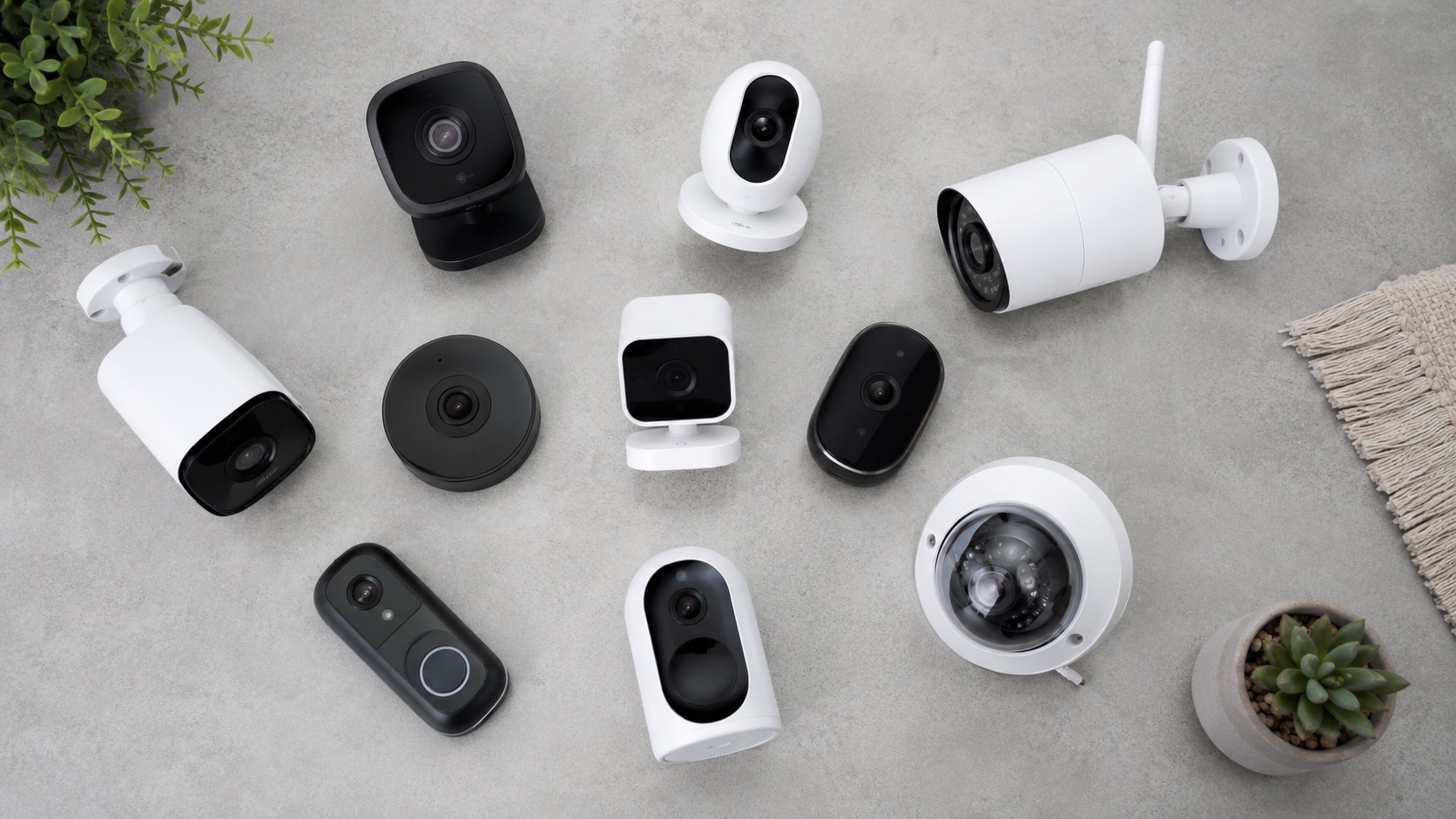
Illustrative image, not evidence of a product test.
Best Smart Home Tech for Small Businesses (2026)
Smart home technology isn’t just for houses anymore. In 2026, the same devices that automate your living room can transform a small business — from a retail shop to a coworking space to a dental office. The difference is how you deploy them. Business applications demand audit trails, scheduling precision, and measurable ROI that residential setups rarely require.
This guide covers the best smart home tech adapted for small business use: access control with employee tracking, commercial-grade cameras without monthly fees, climate automation that slashes utility bills, and customer experience upgrades that pay for themselves within months.
Why Smart Home Tech Works for Small Businesses
Small businesses face a unique challenge: enterprise-level needs on a consumer-level budget. Traditional commercial security and building automation systems cost $10,000–$50,000 to install. Smart home devices deliver 80% of that functionality at 10% of the cost.
The key advantages for small businesses:
- No long-term contracts — most smart home devices are one-time purchases
- Self-managed — no need to call a technician for schedule changes
- Scalable — start with one device, expand as budget allows
- Remote management — check on your business from anywhere
- Integration — devices from different manufacturers work together via Matter, Zigbee, or hub platforms
Smart Locks with Audit Trails
For any business, knowing who entered and when is non-negotiable. Smart locks designed for commercial use provide exactly this — digital audit trails that log every entry with timestamps, user identification, and duration.
Top Picks for Business Access Control
Yale Assure Lock 2 with Wi-Fi ($250) — Supports up to 250 unique codes. Each employee gets their own PIN, and the app logs every unlock event. You can revoke access instantly when someone leaves the company, and set time-based restrictions so cleaning staff can only enter during approved hours.
Schlage Encode Plus ($300) — Built-in Wi-Fi eliminates the need for a separate hub. Supports Apple Home Key for contactless entry. The activity log is detailed and exportable — useful for insurance claims or employee disputes.
August Wi-Fi Smart Lock Pro ($230) — Retrofits over existing deadbolts, so you keep your commercial-grade door hardware. The auto-lock feature ensures the door locks after a set period, preventing the common “last person forgot to lock up” scenario.
For businesses with multiple entry points, consider the best smart locks for 2026 — many of the top residential picks work equally well in commercial settings when paired with the right access management strategy.
Access Control Best Practices for Business
- Assign unique codes to every person — never share a single code among staff
- Set time-based access — delivery drivers get access only during business hours
- Enable auto-lock — doors lock automatically after 30 seconds
- Review logs weekly — spot unusual patterns early
- Change codes quarterly — or immediately when staff changes
Commercial Security Cameras
Security cameras are the single highest-ROI smart device for small businesses. They deter theft, provide evidence for insurance claims, and let you monitor operations remotely. The key for small businesses is avoiding monthly subscription fees that eat into margins.
Reolink PoE Multi-Camera Systems
Reolink dominates the small business camera market for good reason. Their PoE (Power over Ethernet) systems deliver reliability that Wi-Fi cameras cannot match, and local NVR storage means zero monthly fees.
Reolink RLN16-410 + RLC-842A cameras ($600–$1,200 for 4–8 cameras with NVR) — This system provides 4K resolution, person/vehicle detection, and 24/7 recording to a local hard drive. PoE means each camera needs only a single Ethernet cable for both power and data — no outlet hunting or battery charging.
Why PoE beats Wi-Fi for business:
- Rock-solid connection — no dropped feeds during peak Wi-Fi hours
- Single cable installation — cleaner, more professional look
- Centralized recording — all footage stored on one NVR device
- No cloud dependency — footage stays on your property
For a deep dive into subscription-free security systems, see our guide on the best home security system without monthly fees. The same principles apply to commercial installations.
Camera Placement Strategy for Retail
- Entry/exit points — capture every person entering and leaving
- Point of sale — cover the register area for transaction disputes
- Storage/back room — monitor inventory access
- Parking lot — deter vehicle break-ins and capture plates
- Delivery area — verify package arrivals and condition
Climate Scheduling and HVAC Automation
Heating and cooling typically represent 40–60% of a small business’s energy bill. Smart thermostats with business-oriented scheduling can cut this by 20–30% — often the fastest ROI of any smart device.
Smart Thermostats for Business
Ecobee Premium ($250) — Supports complex scheduling with occupancy sensors. The built-in sensors detect when the space is empty and adjust temperature automatically. For a small office, this means HVAC ramps down within minutes of the last person leaving — even if they forgot to adjust the thermostat.
Google Nest Learning Thermostat (4th Gen) ($280) — Learns your business patterns and builds a schedule automatically. The “Away” mode activates based on occupancy detection, and the energy reports show exactly how much you’re saving.
Honeywell T10 Pro ($200) — Designed for light commercial use. Supports multiple sensors for zone awareness and integrates with building management systems if you eventually scale up.
Check our detailed comparison in the best smart thermostat guide for 2026 for feature-by-feature breakdowns.
HVAC Automation Strategies
Pre-conditioning: Schedule HVAC to start 30 minutes before business hours. The space is comfortable when staff arrives, but you’re not heating/cooling an empty building overnight.
Occupancy-based adjustment: Use motion sensors or smart thermostat occupancy features to reduce heating/cooling when zones are empty. A conference room doesn’t need full climate control when no meeting is scheduled.
After-hours setback: Program aggressive setback temperatures (55°F heating / 85°F cooling) for nights and weekends. This alone can save $100–$300/month depending on your climate and building size.
Holiday scheduling: Program closures in advance — Thanksgiving week, Christmas, summer Fridays — so you never pay to heat or cool an empty space.
Lighting Automation
Automated lighting serves three purposes in a business: energy savings, security (lights that simulate occupancy after hours), and customer experience.
Open/Close Lighting Schedules
Lutron Caséta switches ($60–$80 per switch) — Rock-solid reliability with Pico remotes for manual override. Program lights to turn on 15 minutes before opening and dim progressively after closing. The system works locally — no internet required for schedules to execute.
Philips Hue for retail ambiance ($50–$150 per fixture) — Warm, inviting lighting increases dwell time in retail environments. Program different scenes: bright and energetic for morning foot traffic, warm and relaxed for evening shopping.
Motion-activated zones — Install occupancy sensors in bathrooms, break rooms, and storage areas. Lights turn on when someone enters and off after 5 minutes of no motion. Annual savings per fixture: $20–$50.
Security Lighting
Program exterior lights to follow sunset/sunrise schedules. Random interior light patterns after hours deter break-ins more effectively than a completely dark building. Smart plugs ($15–$25 each) can automate existing lamps on random timers.
Occupancy-Based HVAC Control
Beyond simple scheduling, occupancy-based systems react in real time to how your space is actually being used.
How It Works
Smart occupancy sensors detect whether rooms are in use and communicate with your thermostat to adjust climate only where needed. This is particularly valuable for businesses with variable schedules — consulting offices where staff work from home some days, retail with seasonal hours, or shared office spaces.
Ecobee SmartSensor ($40 per sensor) — Place in each zone. When a room is unoccupied for 20+ minutes, HVAC reduces output to that zone.
Aqara FP2 presence sensor ($60) — Uses mmWave radar to detect stationary occupancy. Unlike PIR motion sensors, it knows someone is sitting still at a desk and keeps the climate running.
Typical savings from occupancy-based control: an additional 10–15% on top of basic scheduling savings.
Customer Experience Automation
Smart technology can elevate the customer experience in ways that directly impact revenue.
Welcome Displays
A smart display (Echo Show 15 or Google Nest Hub Max, $200–$250) mounted in a waiting area can show current wait times, promotions, or welcome messages. Schedule different content throughout the day — morning specials, afternoon events, closing reminders.
Ambient Music Systems
Sonos Era 100 ($250) or Echo Studio ($200) — Schedule background music to start at opening and stop at close. Different playlists for different dayparts: upbeat morning, mellow afternoon. Volume adjusts automatically based on time of day.
Research consistently shows that appropriate background music increases customer dwell time by 15–20% in retail environments and reduces perceived wait times in service businesses.
Scent and Environment
Smart plugs controlling aromatherapy diffusers create consistent brand experiences. A bakery might schedule warm vanilla scents during peak hours; a spa might activate lavender when the first appointment begins.
Smart Business Tech Comparison Table
| Need | Device | Price | Business Benefit | ROI Timeline |
|---|---|---|---|---|
| Access control | Yale Assure Lock 2 | $250 | Audit trail, instant code revocation, time-based access | 3–6 months |
| Security cameras | Reolink RLN16-410 + 4 cameras | $600 | 24/7 recording, no monthly fees, theft deterrence | 2–4 months |
| Climate scheduling | Ecobee Premium | $250 | 20–30% HVAC savings, occupancy-based adjustment | 3–6 months |
| Lighting automation | Lutron Caséta (4 switches) | $280 | Open/close schedules, energy savings | 6–12 months |
| Occupancy HVAC | Ecobee sensors (3-pack) | $120 | Zone-specific climate control, reduce waste | 4–8 months |
| Customer music | Sonos Era 100 | $250 | Scheduled playlists, professional ambiance | Indirect (dwell time) |
| Security lighting | Smart plugs (4-pack) | $60 | After-hours deterrence, sunrise/sunset schedules | 1–3 months |
| Welcome display | Echo Show 15 | $250 | Digital signage, wait times, promotions | Indirect (satisfaction) |
Implementation Strategy: Where to Start
Don’t try to automate everything at once. Prioritize based on ROI:
- Month 1: Smart thermostat + scheduling — immediate energy savings
- Month 2: Smart locks — solve the key management problem
- Month 3: Security cameras — protect your investment
- Month 4: Lighting automation — reduce waste and improve ambiance
- Month 5+: Customer experience upgrades — music, displays, environment
Total investment for a comprehensive small business setup: $1,500–$3,000. Expected annual savings from energy and security improvements alone: $1,200–$3,600.
Networking Considerations
Business smart devices need reliable networking. A consumer Wi-Fi router with 30+ connected devices will struggle. Consider:
- Mesh Wi-Fi system — UniFi or TP-Link Omada for business-grade reliability
- Dedicated IoT network — Separate VLAN for smart devices, keeping them off your business network
- PoE switch — Powers cameras and access points from a central location
- UPS battery backup — Keeps cameras and locks running during power outages
Related Guides
Frequently Asked Questions
Can I use residential smart home devices in a commercial setting?
Yes, most residential smart home devices work perfectly in small commercial environments. Smart thermostats, locks, cameras, and lighting are designed for the same protocols regardless of setting. The main differences are scale (you may need more devices) and features (look for audit logs and multi-user management). For larger businesses with 10+ employees, consider devices specifically marketed for light commercial use, like the Honeywell T10 Pro thermostat or Schlage commercial-grade locks.
How much can smart climate control actually save a small business?
Based on EPA and Energy Star data, smart thermostats save 10–15% on heating and 15% on cooling for residential use. Commercial applications often see higher savings (20–30%) because business schedules are more predictable — you know exactly when the building should be empty. A small office spending $500/month on HVAC can expect to save $100–$150/month with proper scheduling and occupancy-based control.
Do I need a professional installer for business smart home tech?
Most smart home devices are designed for DIY installation. Smart locks replace standard deadbolts in 15–30 minutes. Smart thermostats swap with existing ones in under an hour. The exception is PoE camera systems — while technically DIY-friendly, running Ethernet cable through commercial ceilings and walls often benefits from professional installation ($200–$500 for labor). Lighting switches require basic electrical knowledge or an electrician ($50–$100 per switch for professional install).
What happens to my smart business devices if the internet goes down?
Well-designed smart home systems continue basic operation during internet outages. Smart locks still accept PIN codes locally. Cameras with NVR storage continue recording. Thermostats maintain their programmed schedules. What you lose is remote access — you can’t check cameras from your phone or change the thermostat remotely. To minimize disruption, choose devices that prioritize local operation: Lutron Caséta, Z-Wave locks, and PoE camera systems with local NVR.
Is smart business technology tax-deductible?
In most jurisdictions, smart devices used exclusively for business purposes qualify as business equipment expenses. Security cameras, commercial locks, and business thermostats are typically deductible in the year of purchase (Section 179 in the US) or depreciated over their useful life. Smart devices with dual personal/business use may be partially deductible based on business-use percentage. Consult your accountant for specifics — but keep receipts and document the business purpose of each device.